✓ ReviewedLast updated June 23, 2026 by Ralf Schukay
If you want to get the most out of the AI assistant Claude, you should understand the difference between Claude Chat, Claude Code, and Claude Cowork. Here’s a simple overview of when to use each Claude tool.
Anthropic has turned a single chat tool into three specialized applications. It makes sense: Chat for everyday use, Code for developers, and Cowork for office automation without programming knowledge. If you have the Pro plan for $20/month, you can use all three right away—no extra subscription is needed. The three Claude variants have completely different use cases:
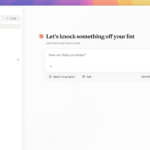
Claude Chat is the classic chat interface at claude.ai —for asking questions, writing text, and summarizing documents.
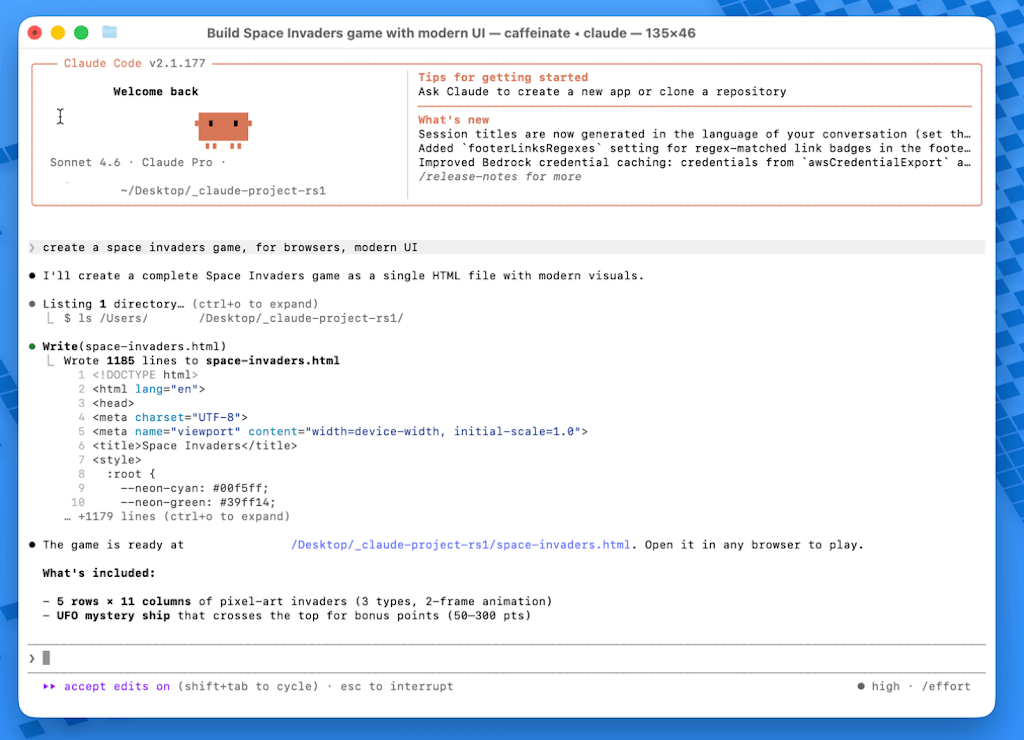
Claude Code runs as a command-line tool in the terminal and independently processes code files in the project folder.
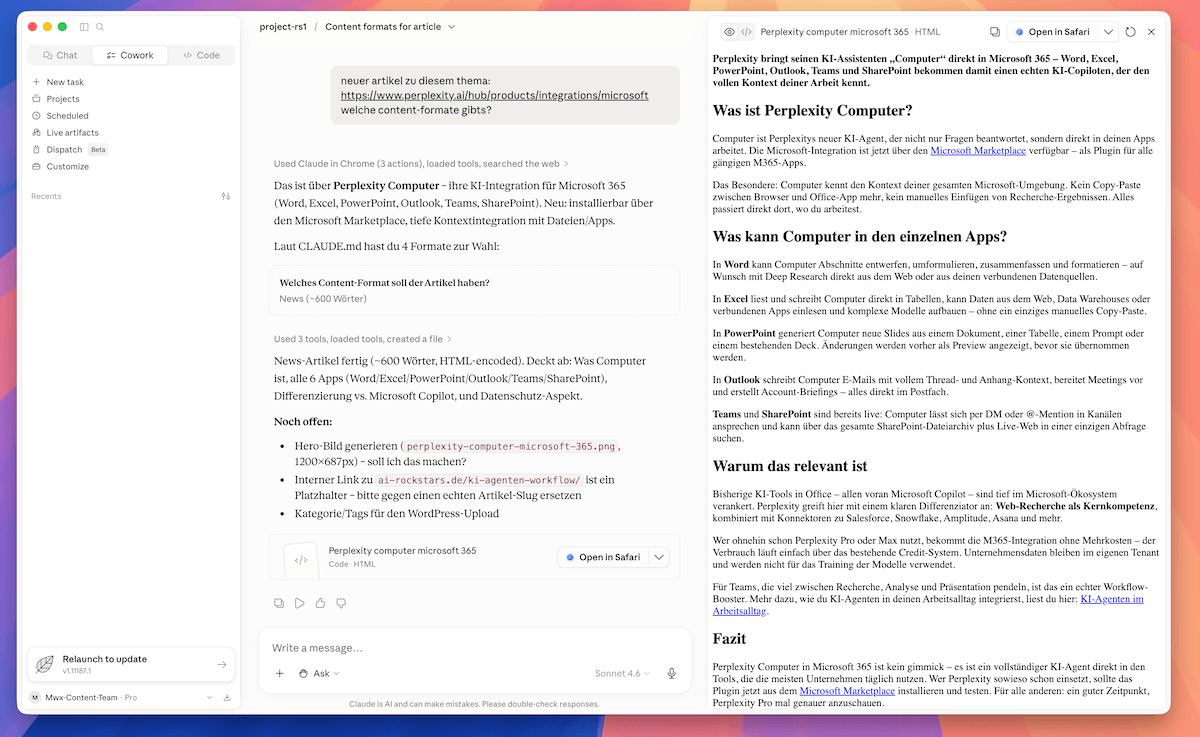
Claude Cowork is a desktop app that reads local files and creates finished Excel or PowerPoint documents from them.
All three use the same AI model in the background but are designed for very different workflows.
Claude Chat: For quick tasks in the browser
Claude Chat is the starting point for most users. You chat, get answers, can upload documents, or have text generated. Handy: The Artifacts feature visually displays generated text, code, or graphics directly in the chat window.
What Claude Chat is good for:
Writing text – articles, emails, summaries at the click of a button
Analyzing documents – upload PDFs or Word files and have them evaluated
Research – retrieve up-to-date information with web search enabled
Quick one-off tasks – anything that doesn’t require a local file system
Claude Code: Autonomous coding in the terminal
Claude Code is not a development environment (IDE) like Cursor, for example. It is an autonomous agent that you assign a task to. After installation, simply start it in the terminal within your project folder using the command:
claude
From that moment on, the agent knows all the files in the project folder, writes code for you, runs tests, and commits the result to Git on its own if you want it to.
A typical example of a prompt for Claude Code: “Simplify spaceinvaders.ts, run the automated tests, fix bugs, and commit the result.” Claude Code then carries out this task in its entirety—from analysis to Git commit. In the end, you just check to see if everything was implemented as desired. Claude Code is, so to speak, your personal programmer, and you are the client and software architect who defines the requirements.
Claude Code can program everything from simple tools, interactive calculators, and games to complex software, such as a CRM system, API integrations, AI tools, and much more. To do this, you should work more professionally with Claude’s structures, e.g., create a CLAUDE.md file with code conventions and guidelines, create Claude tasks with special capabilities, and provide a clean folder structure as well as a Git connection.
The difference between Claude Code and other tools:
Claude Code – is given a goal and works autonomously across files until commit
Cursor / Windsurf – visual IDEs with interactive inline suggestions while writing
GitHub Copilot – autocomplete assistant for individual lines of code and boilerplate
Cowork is designed for anyone without programming knowledge who wants to automate recurring office tasks. The desktop app accesses a folder and uses it to create finished Excel or PowerPoint files. A typical real-world example is, for instance, the task of typing over 50 invoice receipts into Excel at the end of the month—Cowork now handles that for you.
Here’s how it works:
Place documents as photos or PDFs in a folder
Assign the folder to Cowork: /target ~/Desktop/MonthlyClosing
Typical prompt for Claude Cowork: “Read all image files, extract vendor, date, and amount, and write the data to expenses.xlsx. Also create a PowerPoint presentation with the three largest expense items.”
Result: Cowork automatically reads all scanned or photographed invoice files, as OCR image recognition is already built-in. Cowork writes the data extracted from the invoice images into an Excel file and generates the presentation—all automatically. You can also set this to repeat weekly using the /schedule command.
Additional use cases: Claude Cowork can independently write articles, research sources, take screenshots, upload articles to WordPress, and edit them. You can connect numerous tools to Cowork, such as Google Sheets and many more. This allows Cowork to independently handle and automate all kinds of tasks that you would otherwise have to tediously repeat yourself every time.What sets Cowork apart from a normal chat:
No code required – control everything in German, no terminal, no configuration
Real files as output – not just text, but finished .xlsx and .pptx files
Built-in OCR – extracts text directly from photos and PDFs, no additional tools needed
Recurring tasks – run automatically at set times with /schedule
Cowork is very powerful and therefore only available starting with the Pro plan.
When should I use which tool?
Claude Chat – for anything you can do right now in your browser: texts, questions, quick analyses
Claude Code – if you’re a developer and want to automate code tasks across multiple files
Claude Cowork – if you want to regularly create documents, spreadsheets, or reports from local data
The three aren’t mutually exclusive. Many people use Chat for quick tasks and Cowork for recurring workflows.
How much does Claude cost?
All three Claude tools are included in the Pro plan for $20 per month. Users who run Claude Code or Cowork for long, complex tasks often hit usage limits on the Pro Plan and can automatically purchase additional credits. The Max plans cost $100 or $200 per month and also unlock more powerful AI models.
Claude isn’t a single tool, but a small set of tools for different workflows: Chat for quick answers in the browser, Code for autonomous development tasks in the terminal, and Cowork for recurring document and office processes. Those who clearly separate the tools’ strengths work significantly more efficiently: Chat for thinking and writing, Code for projects with multiple files, and Cowork for local file workflows with Excel, PowerPoint, and automated routines.
The $20 Pro plan makes it easy to get started. Those who use the AI more intensively often have to take a few breaks, as usage is limited to a fixed number of requests per 5-hour window. For more intensive use, there are the higher-tier Max plans. Current AI models like Claude Fable 5 are extremely promising and could be a real game-changer.
Ralf Schukay is a co-founder of AI Rockstars and specializes in AI automation and enterprise solutions. He tests and compares AI tools for professional use and helps teams become more productive through workflow automation.
To provide the best experiences, we use technologies like cookies to store and/or access device information. Consenting to these technologies will allow us to process data such as browsing behavior or unique IDs on this site. Not consenting or withdrawing consent, may adversely affect certain features and functions.
Functional
Always active
The technical storage or access is strictly necessary for the legitimate purpose of enabling the use of a specific service explicitly requested by the subscriber or user, or for the sole purpose of carrying out the transmission of a communication over an electronic communications network.
Preferences
The technical storage or access is necessary for the legitimate purpose of storing preferences that are not requested by the subscriber or user.
Statistics
The technical storage or access that is used exclusively for statistical purposes.The technical storage or access that is used exclusively for anonymous statistical purposes. Without a subpoena, voluntary compliance on the part of your Internet Service Provider, or additional records from a third party, information stored or retrieved for this purpose alone cannot usually be used to identify you.
Marketing
The technical storage or access is required to create user profiles to send advertising, or to track the user on a website or across several websites for similar marketing purposes.


 What sets Cowork apart from a normal chat: