Microsoft is now making Copilot Cowork generally available worldwide—the AI agent that fully handles complex, time-consuming multi-tool tasks is now available to all Microsoft 365 Copilot customers.
Part of our AI Agents Guide. For the full picture, see our complete AI Agents Guide.
What is Copilot Cowork?
After a three-month preview in the Frontier program, Copilot Cowork has already attracted more than half of the Fortune 500 as users —including Accenture, Capital Group, Koch, and Zurich Insurance. And this is just the beginning.
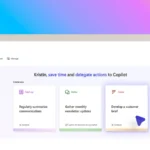
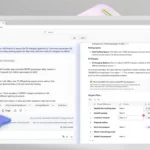
Copilot Cowork isn’t a typical AI chatbot. The difference: You specify the task—Cowork handles it entirely and delivers a finished result. Instead of the AI simply providing answers via chat, the AI agent independently carries out the entire task—for example, reading files, entering data into Excel, uploading files to the web, creating an entire website, and much more.
Real-world examples illustrate what this means:
- A product team used AI to compare nearly 4,000 product files based on their software’s product versions and generated a complete to-do list, which the AI then worked through—work that would otherwise have taken weeks.
- A sales lead used AI to analyze a stalled pipeline and received a prioritized list of at-risk deals—including the exact follow-up needed for each one that had gone cold. A week’s worth of work compressed into a single morning.
- A software engineering team used AI to automate numerous batch job tables and automatically generates dependency flowcharts as documentation after every change—saving several weeks of manual work.
We’ve already covered more about Microsoft Copilot Web Browsing and Computer Use here.

What Makes Copilot Cowork Special
Five factors set Cowork apart from other AI agents:
- Cloud hosting: Tasks continue to run even when your laptop is off. Files aren’t stored locally.
- Work IQ: Cowork understands your corporate context—emails, documents, meetings—and works with it.
- Enterprise security: All prompts and responses go through existing Microsoft 365 compliance controls (Audit Log, eDiscovery, Insider Risk Management).
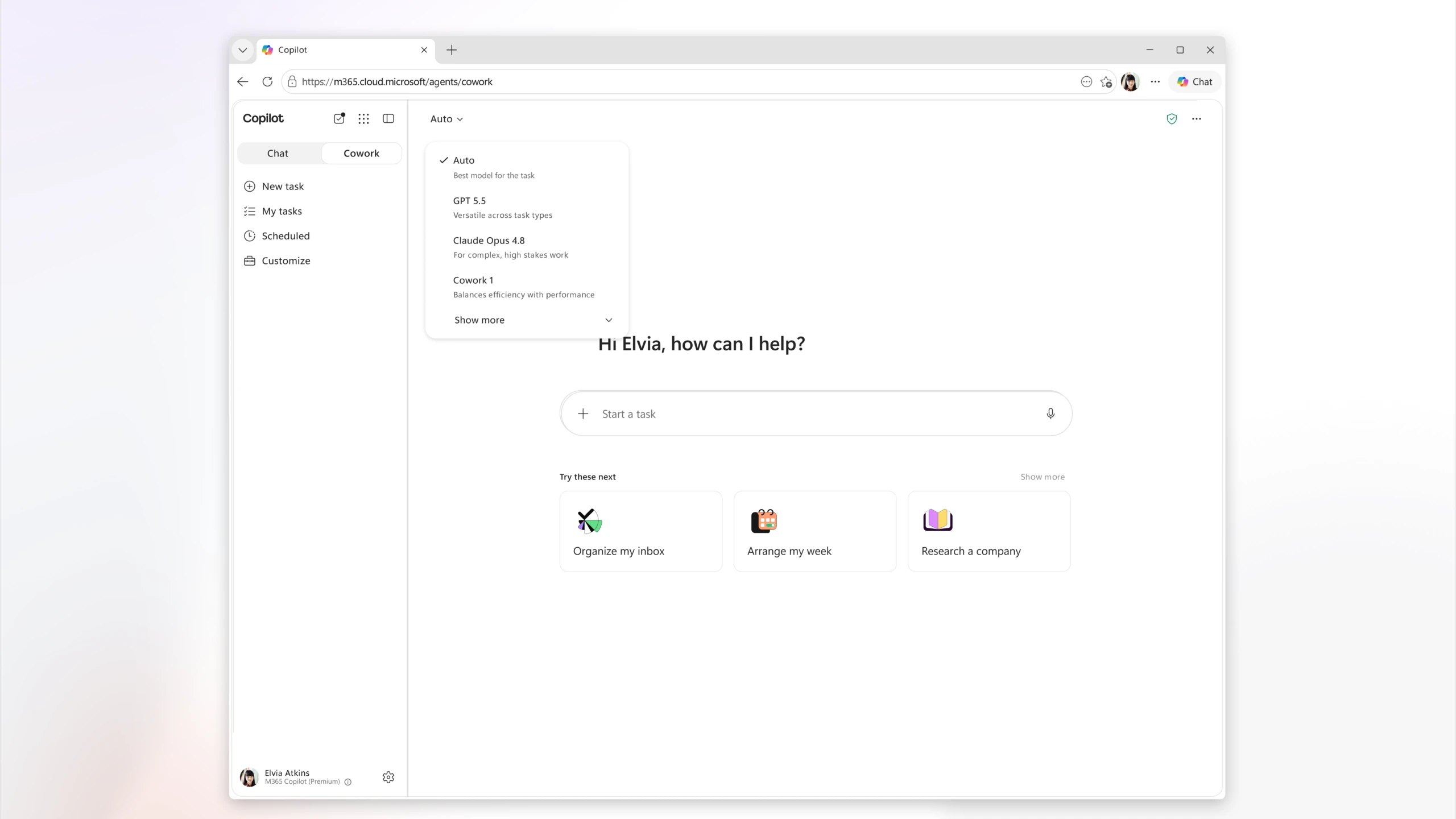
- Multi-Model: Cowork selects the right model for each task. Currently: Anthropic Opus 4.8 and Sonnet 4.6; soon, its own “Cowork 1” model as well.
- Lower Costs: According to Microsoft, Copilot Cowork is, on average, 30–40% cheaper than Claude Cowork with the Microsoft 365 Connector.
Our article on Microsoft Open Agentic Web explains how Microsoft is positioning itself in the AI agent space in general.
Pricing and Billing

Copilot Cowork requires the Microsoft 365 Copilot User Subscription License (USL) as a foundation. In addition, billing is usage-based and calculated in Copilot Credits.
The cost per task is determined by four factors: Model Use, Context Retrieval, Tool Calls, and Runtime. Two payment options are available:
- PayGo (Pay-as-you-go): $0.01 per Copilot Credit – maximum flexibility.
- P3 (Prepaid): Commit to a volume in advance and secure a discount.
Three task types help with budgeting:

- Light Tasks: Few sources, simple reasoning, one output.
- Medium Tasks: Multiple sources, structured reasoning, 2 outputs.
- Heavy Tasks: Broad aggregation, deep reasoning, many outputs.
Microsoft provides a free budget calculator (Excel spreadsheet) directly: Download the Cowork Cost Estimator.
Important for Frontier users: Anyone who used Cowork between March 30 and June 16, 2026, will receive a grace period—billing will not begin until July 1, 2026.
New Features for the General Availability Launch
Microsoft is rolling out a number of new features right at launch:
- 9 new partner plugins are now available: Enosix, Harvey, LSEG, Miro, monday.com, Moody’s, Morningstar, S&P Global Energy, and TeamsMaestro. Another 8 are coming soon (Adobe, Atlassian, Box, Canva, Databricks, and others).
- Browser access via Edge: Cowork can browse the web using a local Edge browser—in accordance with your organization’s enterprise policies.
- Cowork Toggle directly in the Microsoft 365 Copilot app—switch quickly between chat and action mode.
- Security & Compliance: Audit Log, DSPM, eDiscovery, Insider Risk Management, and Data Lifecycle Management (starting June 22). Data Loss Prevention (DLP) is coming soon.
If you want to dive deeper into building your own AI agents, our article “Build Your Own AI Agents” is a great place to start.
Cost Management: What Admins Can Do Now
Cowork is disabled by default. Admins must explicitly enable it. There are comprehensive control tools available for this:
- Spending limits at the tenant, group, and user levels
- Customizable usage alerts
- Usage reports broken down by user, group, and feature
- Credit requests directly from the Cowork interface
Copilot Cowork vs. Other AI Agents: The Key Benefits
- Complete execution instead of drafts: Cowork delivers finished results, not just suggestions.
- Cloud-native: Keeps running when you’re away—no need to leave your laptop on.
- True enterprise context: Work IQ understands your internal data, emails, and documents.
- Microsoft 365 compliance: No data outside your existing security infrastructure.
- Multi-model with cost optimization: 30–40% cheaper than Claude Cowork, according to Microsoft tests.
- Our own model is coming: “Cowork 1” will be fine-tuned for enterprise tasks—making it even more affordable.
FAQ: Copilot Cowork
How much does Copilot Cowork cost?
Cowork requires the Microsoft 365 Copilot USL as a base subscription. In addition, usage is billed in Copilot Credits. PayGo costs $0.01 per Credit. The exact costs depend on the task type, models used, and tool calls.
Which models does Copilot Cowork use?
At the GA launch, Cowork runs on Anthropic Opus 4.8 and Sonnet 4.6. GPT 5.5 is also available in the Frontier program. Our own model, “Cowork 1,” will be released in the coming weeks and will be particularly cost-effective.
Is Copilot Cowork secure for corporate data?
Yes. All data remains within the Microsoft 365 Trust Boundary. Sensitivity labels are consistently inherited. Audit Log, eDiscovery, and Insider Risk Management are active immediately. Cowork is disabled by default—admins decide who gets access.
How does Cowork differ from regular Microsoft Copilot?
Standard Copilot supports you in Word, Excel, Teams, etc., with suggestions and summaries. Cowork, on the other hand, handles complex, multi-step tasks completely on its own—across multiple tools, even when you’re not at your computer.
What integrations are available?
Nine partner plugins are available at launch (Miro, monday.com, Moody’s, LSEG, and others). Fabric and Dynamics 365 Sales, Customer Service, and ERP are also generally available (GA). Additional plugins such as Adobe, Canva, Box, and Atlassian are coming soon. Browser access via Edge is available through the Frontier program.
Learn more: Copilot Cowork
- Official Microsoft Blog: Copilot Cowork GA Announcement – The full announcement post by Charles Lamanna (EVP, Microsoft).
- Microsoft Tech Community: Copilot Cowork Feature List – All new features in detail.
- Microsoft Learn: Copilot Credits and Cost Management – Official documentation on pricing and admin controls.
More relevant articles on AI-Rockstars:
- Microsoft Copilot Studio and GPT-5 – How Microsoft Copilot Studio becomes even more powerful with GPT-5.
- Microsoft Foundry – Microsoft’s platform for enterprise AI development.
Conclusion
Copilot Cowork isn’t just hype—it’s the next logical step after Copilot Chat. Anyone dealing with complex, repetitive tasks in an enterprise environment should take a close look at it. The pricing structure is nuanced, but can be calculated using the Cost Estimator. And the fact that more than half of the Fortune 500 companies have already used it in preview speaks for itself.
Have you tried Copilot Cowork yet? Let me know in the comments—I’m curious to see what you’re building with it!