Introducing Microsoft Scout: A personal AI agent designed to handle tasks on its own
Microsoft continues to expand its AI assistants: With Microsoft Scout, the company is introducing a personal agent that can run continuously in the background. The service is designed to gather…
FSFlorian SchröderUpdated Jun 23, 20265 min read Human reviewed
✓ ReviewedLast updated June 23, 2026 by Florian Schröder
Microsoft continues to expand its AI assistants: With Microsoft Scout, the company is introducing a personal agent that can run continuously in the background.The service is designed to gather information, prepare tasks, and proactively make suggestions to users—all within the Microsoft 365 ecosystem.
Part of our AI Agents Guide. For the full picture, see our complete AI Agents Guide.
Microsoft Scout Unveiled: Personal AI Agent Designed to Take on Tasks Independently
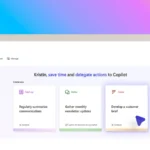
On June 2, 2026, Microsoft announced Microsoft Scouton the official Microsoft 365 blog. It is an “always-on” personal agent designed to assist users with recurring tasks, consolidate information, and provide proactive help. The idea: fewer manual clicks, more support in everyday life with Microsoft 365.
Microsoft describes it this way: “Today we are introducing a new category of agents called Autopilots. Autopilots are always-on agents that work autonomously, with their own identity, and act on your behalf.”
What Microsoft Scout Can Do
Microsoft describes Scout as a kind of personal AI agent that doesn’t just wait for input but can provide ongoing support. Unlike traditional chatbots, Scout is designed to assist with tasks in a work context and take action on its own when appropriate.
Always active: According to Microsoft, Scout is designed to be a permanently available assistant and is not intended to respond only to individual prompts.
Context-aware: The agent uses information from the Microsoft 365 environment to better contextualize tasks.
Proactive help: Scout is designed to provide hints, suggestions, and prepared results before users have to gather everything themselves.
Task support: Possible tasks include summarizing, researching, prioritizing, and preparing next steps.
Practical examples from everyday work
Such a system becomes particularly exciting when it takes concrete work off users’ hands. According to Microsoft’s description, the following scenarios are among the most likely:
Before meetings: Scout could compile emails, documents, and previous notes related to a meeting and provide a summary.
For projects: The agent could identify open issues, compile relevant files, and suggest next tasks.
For decision-makers: Scout could monitor developments on specific topics and highlight changes or risks early on.
In day-to-day operations: Recurring information searches—such as those related to customers, teams, or ongoing topics—could be significantly reduced.
Why this matters
Microsoft is thus further driving the trend from chatbots toward more autonomous agents. This is relevant for users because it integrates AI more deeply into existing workflows—not just as a typing or answering machine, but as a tool that prepares tasks and gathers information independently.
At the same time, this raises familiar questions: How much access does the agent have to data? How reliable are the suggestions? And how transparent is the reasoning behind why Scout prioritizes or recommends something? Especially in enterprises, data protection, rights management, and traceability will be critical.
Context: One Step Deeper into Microsoft 365
With Scout, Microsoft is showing where the journey is headed for Copilot and the agent features: away from individual queries, toward permanently embedded assistants. For companies that already rely heavily on Outlook, Teams, Word, and other Microsoft 365 services, this could be useful—because that’s exactly where the necessary data and work contexts are available.
Microsoft Scout sounds like the next step in AI for everyday office work: less manual searching, more curated information, and proactive support. Whether this actually saves time in practice will depend primarily on how well the agent can handle real-world work data—and how much control users retain in the process.
AI Rockstars verdict
TL;DR: Microsoft Scout is relevant if it points toward more autonomous research, productivity, or agent workflows inside Microsoft’s ecosystem. The value depends on how well it connects to business data, permissions, and daily work tools.
Editorial recommendation: Evaluate Microsoft Scout by workflow impact rather than announcement language. Ask whether it reduces research time, improves handoffs, and stays governed inside Microsoft 365 and enterprise data boundaries.
Microsoft Scout evaluation checklist
Scenario
Recommendation
Why it matters
Microsoft ecosystem fit
High
Value rises when the tool connects to existing work surfaces.
Data governance
Critical
Enterprise assistants need strong permission and privacy controls.
Workflow depth
High
Look for repeatable tasks, not just chat-style answers.
Measurement
Medium
Track time saved, quality, and adoption by team.
FAQ
What should teams look for in Microsoft Scout?
Teams should evaluate workflow integration, governance, data access, and measurable productivity impact.
Is Microsoft Scout mainly for enterprises?
It is most relevant where Microsoft tools and enterprise data already shape daily work.
How do you judge an AI productivity tool?
Judge it by completed workflows, quality, user adoption, and risk controls rather than feature lists alone.
Florian Schröder is a co-founder of AI Rockstars and an expert in AI strategies for marketing. He advises companies on integrating AI tools such as ChatGPT, Claude, and Gemini into their workflows. With over 10 years of experience in digital marketing, he combines technical expertise with practical applications.
To provide the best experiences, we use technologies like cookies to store and/or access device information. Consenting to these technologies will allow us to process data such as browsing behavior or unique IDs on this site. Not consenting or withdrawing consent, may adversely affect certain features and functions.
Functional
Always active
The technical storage or access is strictly necessary for the legitimate purpose of enabling the use of a specific service explicitly requested by the subscriber or user, or for the sole purpose of carrying out the transmission of a communication over an electronic communications network.
Preferences
The technical storage or access is necessary for the legitimate purpose of storing preferences that are not requested by the subscriber or user.
Statistics
The technical storage or access that is used exclusively for statistical purposes.The technical storage or access that is used exclusively for anonymous statistical purposes. Without a subpoena, voluntary compliance on the part of your Internet Service Provider, or additional records from a third party, information stored or retrieved for this purpose alone cannot usually be used to identify you.
Marketing
The technical storage or access is required to create user profiles to send advertising, or to track the user on a website or across several websites for similar marketing purposes.