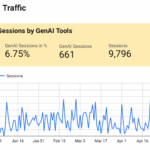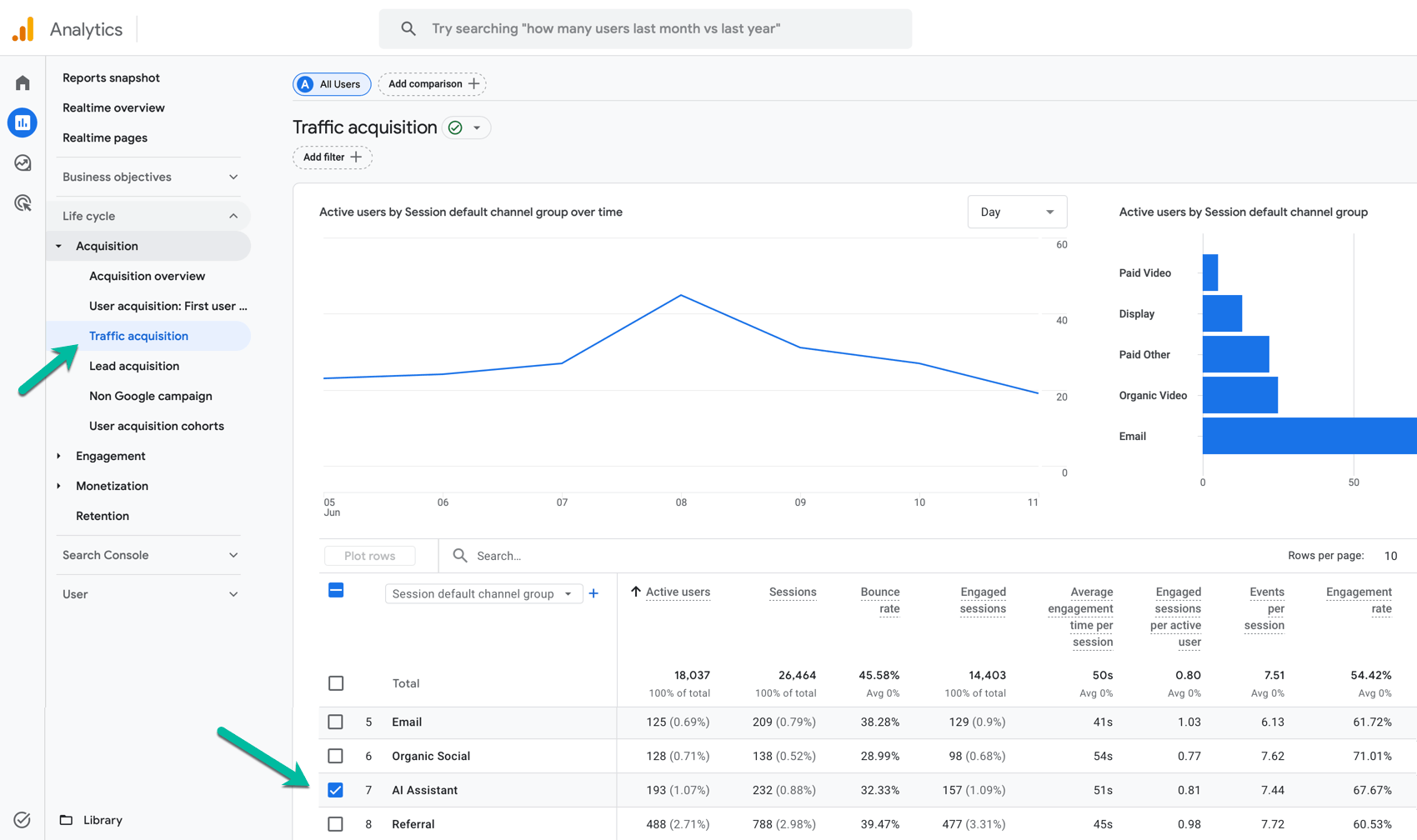
Since May 2026, Google Analytics has finally answered a question that marketers had to solve for months using cumbersome workarounds: How much traffic actually comes from ChatGPT, Claude, or Gemini—and does that traffic even convert?
What is the AI Assistant Channel in Google Analytics?
With the new AI Assistant Channel in GA4, AI traffic can now be measured directly and automatically in standard reports. No more manual filtering, no custom UTM hacks—the new channel is simply there.
On May 13, 2026, Google introduced a new traffic channel in GA4 specifically designed for visits from AI chatbots. When someone clicks on a link in ChatGPT, Gemini, Claude, or another supported AI assistant and lands on your website, that visit is now automatically assigned to the new channel.
The three new traffic dimensions
Google has introduced three specific metrics for AI traffic that you’ll see in your reports:
| Dimension | New Metric | Meaning |
|---|---|---|
| Medium | ai-assistant |
Identifies the channel type |
| Channel Group | AI Assistant |
Appears in the default channel group |
| Campaign | (ai-assistant) |
Automatically set campaign name |
These values are automatically assigned by GA4 as soon as the referrer matches a known AI platform. You don’t need to configure anything.
Which AI assistants are recognized?
Google tracks traffic from the most important generative AI platforms, including:
- ChatGPT (OpenAI)
- Gemini (Google)
- Claude (Anthropic)
- Other supported AI assistants
The list is maintained by Google and expanded as needed—so you don’t have to manually add every new tool.
Why this is a game-changer for content marketers
Until May 2026, AI traffic was a blind spot in GA4. Traffic from ChatGPT either appeared under “Direct” (if no referrer was transmitted) or ended up in the hodgepodge under “Referral”—unsorted among news portals, forums, and social media sites.
This had concrete consequences:
- AI traffic was systematically underestimated —if you received 500 visits from ChatGPT, you might have seen only 150 of them as referrals
- Conversion comparisons were impossible —you couldn’t tell whether ChatGPT visitors were buying or bouncing right away
- Growth was unmeasurable —whether your AI traffic had increased by 200% in the last quarter remained a mystery
The AI Assistant Channel fundamentally changes that. GA4 now delivers clean data—comparable to what you’ve had for years for organic search, paid, and social.
Here’s how to find the AI Assistant Channel in GA4
The new channel appears directly in the standard reports without you having to activate or install anything. Here are the key locations:
1. Acquisition Overview
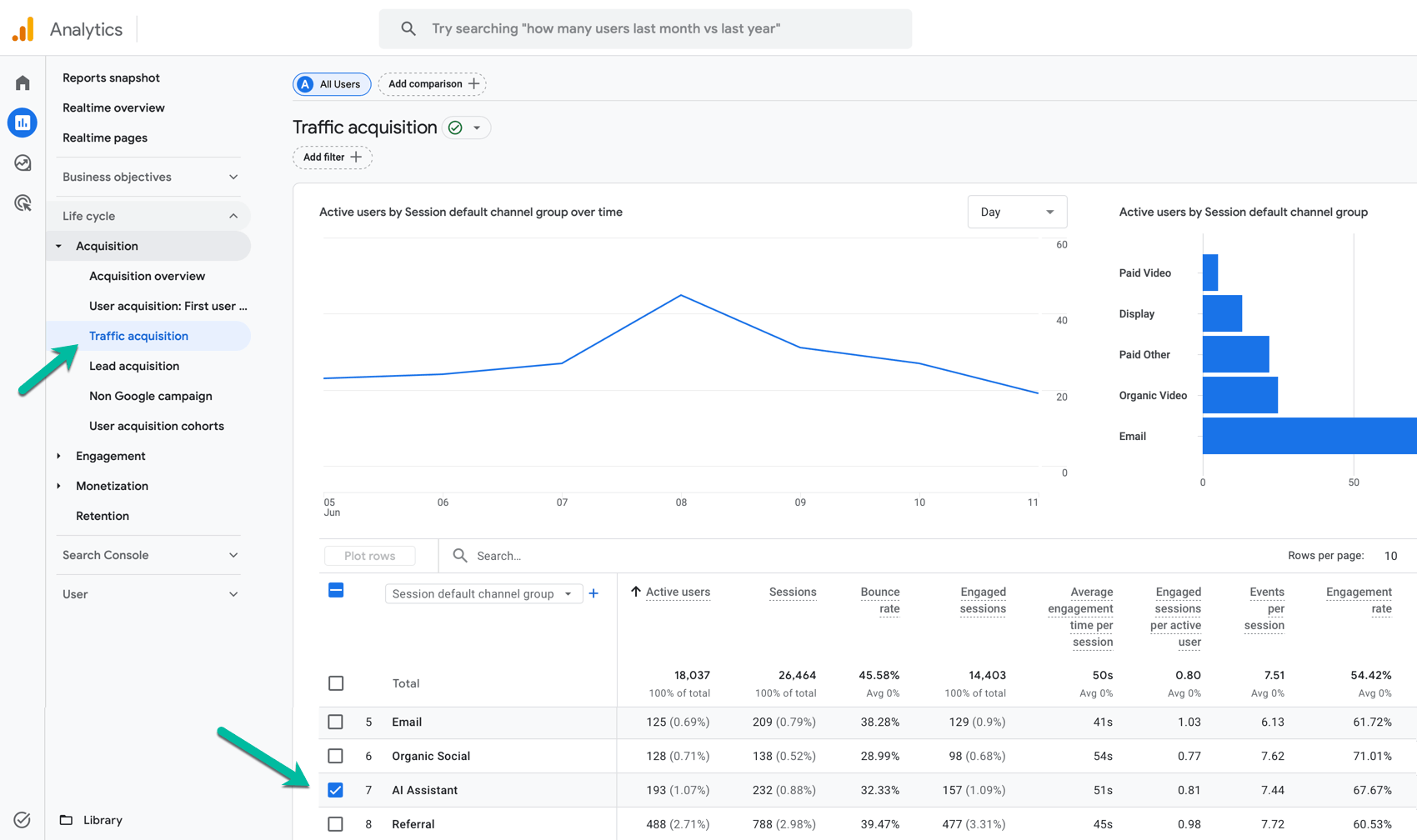
Path: Reports → Acquisition → Traffic Acquisition
Here you’ll see an overview of all channels—and “AI Assistant” now appears as a separate row alongside Organic Search, Direct, Referral, and the other channels. You can immediately compare sessions, users, engagement rates, and conversions.
2. Default Channel Grouping in Exploration Reports
In the Explore section, you can use the “AI Assistant” channel as a dimension and filter, segment, and combine it with other metrics as desired.
Insightful Analyses:
- AI Assistant vs. Organic Search: Which converts better?
- Which AI assistant sends the most users?
- How does AI traffic evolve over time?
3. Dig Deeper with Secondary Dimensions
Add the secondary dimension “Session source” to the Traffic Acquisition report—this way, you’ll see not only “AI Assistant” as a channel but also which specific platform the traffic comes from (e.g., chat.openai.com, gemini.google.com, claude.ai).
Key insights from the AI Assistant channel
AI Traffic vs. Organic Search: The Conversion Comparison
This is the key question for anyone optimizing content for AI visibility: Do users from AI chatbots bring real value, or do they just click in briefly and leave?
Create a simple table in the Explore section with:
- Dimension: Channel Grouping
- Metrics: Sessions, Engagement Rate, Conversions, Conversion Rate, Revenue
What experienced marketers are already observing: AI traffic often shows a higher engagement rate than traditional referral traffic—because users who click on a ChatGPT link have already been pre-filtered by the AI assistant and come with specific questions.
Which AI assistant drives more traffic?
With the secondary dimension “Session source,” you can see whether ChatGPT, Gemini, or Claude sends more visitors—and whether these visitors behave differently. This data is particularly valuable for your AI visibility strategy to help you prioritize which platforms you want to have a stronger presence on.
Growth Trend: AI Traffic Over Time
Create a comparison report in GA4 (current month vs. previous month) that isolates the AI Assistant channel. You’ll see strong growth across many industries—and that’s the moment when decision-makers start taking AI visibility seriously.
A practical starting point: The YouTube video “GA4 Now Tracks AI Traffic | New ‘Native AI Assistant’ Channel Explained” briefly shows what the channel looks like in GA4 and where to find it—ideal for sharing with colleagues who aren’t yet familiar with the report.
What you should do right now
If you don’t actively monitor the new channel, you’ll miss out on insights that could be business-critical in 12 months. Here’s a step-by-step checklist:
- Open GA4 and navigate to Reports → Acquisition → Traffic Acquisition
- Check if “AI Assistant” already appears as a channel —if you have significant AI traffic volume, you’ll see it right away
- Set up a comparison: AI Assistant vs. Organic Search for the last 90 days
- Create a note for May 13, 2026—so you know when the data will start being recorded accurately
- Build a monthly dashboard that automatically monitors AI traffic growth
Important: Data prior to May 13, 2026, is not available in the AI Assistant channel—the feature is new, and there is no retroactive data mapping. For historical comparisons, you’ll need to use manual referral filters.
What the new channel doesn’t provide—and what you can still do
AI traffic is only part of the picture
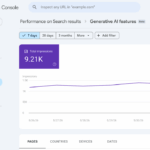
The AI Assistant Channel tracks click-through traffic —that is, users who actively clicked on your link from within an AI chatbot. What it doesn’t measure: how often your content is cited or recommended in AI responses without anyone clicking. This so-called “AI Impressions” metric isn’t available in GA4 (yet).
If you want to measure your AI visibility holistically, you’ll need separate tools.
Not all AI platforms send clean referrers
Some AI apps or browser plugins do not transmit a referrer—this traffic continues to be categorized as “Direct.” If you have a significant share of “Direct” traffic, you should check whether some of it might originate from AI.
A particularly important point highlighted by analytics expert Julius Fedorovicius (Analytics Mania): Native mobile apps like the ChatGPT iOS or Android app often don’t send any referrer data at all. The operating system removes the referrer data during the app-to-browser transition—these sessions then appear as “Direct.” The GA4 AI Assistant Channel can therefore only reliably capture desktop web traffic from these platforms.
FAQ – Frequently Asked Questions About the AI Assistant Channel in GA4
Do I need to configure anything for the AI Assistant Channel to appear?
No. Google Analytics automatically assigns the traffic as soon as the referrer matches a recognized AI platform. You’ll see the channel in the Default Channel Group Reports without any configuration.
When will the data be available?
The AI Assistant Channel was introduced on May 13, 2026. There is no retroactive data attribution—data prior to this date remains under the old channel classifications (mostly Referral or Direct). It will take some time for the feature to become available for all accounts.
How accurate is Google’s measurement? Which AI platforms are tracked?
It is unclear exactly how Google tracks AI assistants. If you want to do your own tracking, you can create your own channel using the Custom Channel Group method from Analytics Maniaand compare the results.
Can I also see AI Assistant traffic in Google Ads reports?
Not directly—the AI Assistant channel is a GA4 feature for organic traffic. Since AI assistants do not (yet) offer paid placements, there is no Ads interface here.
Can AI traffic be segmented by conversion goals?
Yes. In the Explore section, you can combine the AI Assistant Channel with any conversion event to measure, for example, which AI assistant drives the most newsletter sign-ups or purchases.
Conclusion: AI traffic is becoming the new standard channel
The AI Assistant Channel isn’t just a nice-to-have feature—it’s the answer to a fundamental shift on the web: More and more people are discovering websites not through Google searches, but through recommendations from AI assistants. GA4 is now following suit and providing the metrics marketers need to quantify this shift.
Those who start measuring AI traffic systematically now will have a data advantage in 6 months that others will have to catch up to.
Want to know how to optimize your content so that ChatGPT, Gemini, and Claude recommend it more often? Check out our guide to AI visibility.
Learn more: AI traffic in Google Analytics
Additional sources:
- Google Analytics Help – What’s New (May 2026) ·
- Search Engine Land – Google Analytics adds AI Assistant channel ·
- Analytics Mania – How to track and report AI traffic in GA4 ·
- Trakkr – AI Search Traffic Index (as of June 2026)
AI Rockstars verdict
TL;DR: A Google Analytics AI assistant channel is useful when marketers need faster explanations, anomaly detection, and reporting support. The risk is trusting generated interpretations without checking configuration and data quality.
Editorial recommendation: Use AI analytics assistants to speed up investigation, not to replace measurement discipline. Validate events, consent, channel grouping, attribution, and data freshness before acting on AI-generated insights.
FAQ
What can an AI assistant do in Google Analytics?
It can help explain trends, summarize performance, investigate anomalies, answer reporting questions, and suggest analysis paths.
Can AI analytics insights be trusted automatically?
No. Insights should be checked against tracking setup, data quality, attribution, and business context.
What should marketers validate first?
They should validate events, conversions, consent mode, channel grouping, traffic sources, and reporting definitions.