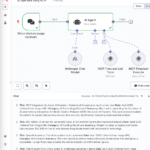
Crawlee combines high-speed HTTP scraping and modern browser automation in a single, scalable Node.js library to extract complex web data more efficiently. Intelligent fallback mechanisms that only activate browsers when necessary can save up to 90 percent of system resources compared to pure Playwright setups. We take a look at the architecture, performance benchmarks, and real-world challenges in continuous operation.
Crawlee Web Scraping: The most important information
- As an open-source framework, Crawlee combines fast HTTP requests and complex headless browser automation under a single “unified API” to massively reduce the maintenance effort for scraping projects.
- The architecture allows developers to switch seamlessly between resource-efficient text parsers and full browser simulation without having to rewrite the code when a website introduces JavaScript hurdles.
- Through intelligent automations such as the
AutoscaledPool, the tool independently manages CPU and RAM loads to proactively prevent crashes during high scaling. - Financially, there is enormous potential for savings in infrastructure costs, as pure HTTP crawlers are up to 50 times faster and use 90% less memory than browser-based solutions.
- In addition, the integrated anti-blocking logic with automatic fingerprint management eliminates costly downtime and drastically reduces the need for manual maintenance of stealth plugins.
- Implement Crawlee primarily in TypeScript environments and use the “hybrid pattern,” in which requests run “cheaply” via HTTP by default and are only automatically escalated to “expensive” browsers in the event of blockages.
- Continue to rely on Scrapy for pure Python data science workflows, as Crawlee creates architectural overhead here and integration with Pandas pipelines is less mature.
- Start new projects directly dockerized to pragmatically circumvent known memory leaks in jobs lasting several days by means of simple, scheduled container restarts.
Summary
- Massive performance differences: The HTTP-based
CheerioCrawlerworks 10 to 50 times faster than browser solutions and achieves a throughput of > 500 pages/minute on a single core, while Playwright often only manages 10-50 pages. - Resource efficiency: A hybrid pattern allows 90-95% of requests on e-commerce sites to be resolved statically, reducing RAM consumption by 90% because memory-hungry headless browsers (1GB per instance) are only used as a fallback.
- No vendor lock-in: Thanks to the Apache 2.0 license, the framework can be used completely free of charge via Docker; costs only arise with optional use of the managed cloud (from $39/month).
- Existing stability risks: In long-running jobs, unresolved memory leaks and “detached contexts” often lead to OOM crashes, which in practice can often only be circumvented by preventive container restarts.
The biggest pain point when scaling scraping projects is often the inevitable technology change: you start with lightweight HTTP requests, run into a JavaScript wall, and have to rewrite the entire code for a headless browser. Crawlee eliminates this problem with a strict unified API architecture.
The 3-in-1 logic: consistency through inheritance
Since the release of version 3.0.0 (August 2022), all main classes— CheerioCrawler, PlaywrightCrawler, and PuppeteerCrawler —are based on the same BasicCrawler class. This means that the methods for controlling the queue (enqueueLinks) and storing data (pushData) are identical, regardless of the underlying engine.
The requestHandler object provides a unified interface. Developers can write the logic for extracting data without having to worry about whether raw HTML is being parsed or a complete DOM simulation is being run. Switching from pure HTTP to a browser-based approach often only requires changing the class name in the constructor.
Benchmarks: Performance gap and resources
Choosing the right class has a massive impact on infrastructure costs. While browser automation is often necessary for modern single-page applications (SPAs), benchmarks show why it should only serve as a fallback:
| Metric | CheerioCrawler (HTTP-only) | Playwright/Puppeteer (browser) |
|---|---|---|
| Speed | 10-50x faster | Limited by rendering time |
| Throughput | > 500 pages/minute(1 core) | 10-50 pages/minute (depending on JS load) |
| RAM consumption | Minimal (pure text parsing) | 1 GB per instance(concurrency level) |
| Overhead | Low | High (startup time, context creation) |
CheerioCrawler uses on average 90% less memory than its browser-based counterparts. On a standard machine (1 CPU core, 4GB RAM), this allows for massive throughput, while browser instances quickly run into CPU throttling or OOM (out of memory).
Open source as a strategic “loss leader”
Technically speaking, the framework acts as a “gateway drug” for the Apify platform. Nevertheless, the code is published under the permissive Apache 2.0 license. This means:
- No vendor lock-in: The tool is fully functional without a cloud connection.
- Docker-ready: Developers can deploy Crawlee for free in their own containers on AWS, Google Cloud, or local hardware.
- Monetization: Apify does not monetize the code, but rather the managed cloud infrastructure (starting at $39/month), which handles scaling and proxy management. Those who maintain the infrastructure themselves pay nothing.
The decision between Crawlee, Scrapy, and a “raw” implementation is not a matter of taste, but a strategic decision based on your existing tech stack and scaling requirements.
Target group matrix: Who needs what?
- For TypeScript web developers: Crawlee is the definitive “batteries included” solution. Those who build web apps and integrate scraping as a feature immediately benefit from type safety and seamless switching between HTTP and headless browser crawlers.
- For data scientists: Scrapy remains the standard when the pipeline runs entirely in Python. Its integration with Pandas or direct AI pipelines is unbeatable. Switching to Crawlee is only worthwhile if complex browser interactions (SPA rendering) exceed the capabilities of
scrapy-playwright. - For hobbyists & purists: Those who use “raw” Playwright or Puppeteer opt for maximum control, but pay for it with high maintenance costs for queues, retries, and proxies.
Comparison table: The hard facts
Here is a direct comparison of the architectural approaches:
| Feature | Crawlee (TS/JS) | Scrapy (Python) | Raw Playwright/Puppeteer |
|---|---|---|---|
| Browser Support | First-class:Natively integrated, including fingerprint management. | Plugin-based:Requires `scrapy-playwright`; often feels “bolted on.” | Native:Maximum API control, but no abstraction layer. |
| Scaling | AutoscaledPool:Dynamic concurrency based on CPU/RAM load. | Manual via `CONCURRENT_REQUESTS` settings. | Manual (developer is responsible for loop & resources). |
| Anti-blocking | Session pools & intelligent fingerprints out-of-the-box. | Requires middleware configuration (e.g., `scrapy-rotating-proxies`). | Stealth plugins (e.g., `puppeteer-extra-plugin-stealth`) must be maintained by the user. |
| Queueing | Integrated RequestQueue system. | Mature scheduler architecture. | Must be implemented yourself (e.g., via Redis). |
Deep dive: scaling and anti-blocking
The decisive technical advantage of Crawlee over “raw” solutions lies in the AutoscaledPool. While raw scripts or Scrapy often require manual guessing of concurrency limits (to avoid memory leaks), Crawlee monitors system resources (CPU & RAM) and automatically throttles or accelerates the crawler.
In practice, there is also a huge difference in anti-blocking management:
- Raw Playwright: You have to manually update and configure plugins such as
stealth-extraas soon as Cloudflare changes its detection patterns. - Crawlee: Browser fingerprints and session rotations are abstracted. You simply use integrated features instead of writing boilerplate code for stealth mechanisms.
Conclusion on architecture: Crawlee eliminates the “glue code” that you normally write to make Playwright production-ready. However, if you maintain a pure Python environment, you should only switch if your dynamic websites become unstable with scrapy-playwright.
The holy grail of modern scraping architecture is resource efficiency. Since a full-fledged headless browser (via Playwright) often consumes 1GB of RAM per instance, while a pure HTTP parser (Cheerio) works with a fraction of that and is 10 to 50 times faster, we should only use the browser as a last resort.
The hybrid pattern solves this problem with a dynamic escalation strategy: We first try each request “cheaply” via HTTP. Only when JavaScript rendering is absolutely necessary (or we are blocked) do we hand the task over to the heavy browser.
1. The architecture: Shared Queue
The heart of this pattern is the shared request queue. Unlike isolated scripts, both crawler classes in Crawlee access the same state. We define a queue in which the CheerioCrawler places failed URLs so that the PlaywrightCrawler can collect them.
2. Implementation of the switch
The code must recognize when HTML alone is not sufficient. A typical indicator is a missing CSS selector (e.g. , .price), which indicates that the content is reloaded on the client side via React or Vue.
Here is the TypeScript setup for this scenario:
import { CheerioCrawler, PlaywrightCrawler, RequestQueue } from 'crawlee';

// Step 1: Create a shared queue for both crawlers
const requestQueue = await RequestQueue.open();

// Step 2: The fast "first line of defense" crawler
const cheerioCrawler = new CheerioCrawler({
    requestQueue, // Bind to the shared queue
    maxRequestRetries: 1, // We don't want to retry often here, but fail quickly
    requestHandler: async ({ $, request }) => {
        // Attempt to pull data from the static HTML
        const price = $('.price').text();

        // Check: Is the date missing? Then we probably need JS rendering.
        if (!price) {
            console.log(`⚠️ JS detected on ${request.url}, moving to browser queue...`);

            // IMPORTANT: Do not discard the request, but put it back in the queue
            // The 'needsBrowser' flag controls the logic.
await requestQueue.addRequest({
url: request.url,
userData: { ...request.userData, needsBrowser: true },
uniqueKey: Math.random().toString() // Forces duplicate to bypass skip
});
            return;
        }
        console.log(`✅ Fast Scrape success: ${price}`);
    },
});

// Step 3: The "heavy lifter" for difficult cases
const browserCrawler = new PlaywrightCrawler({
    requestQueue,
    requestHandler: async ({ page, request }) => {
        // This crawler ignores everything that has not been explicitly marked
        if (!request.userData.needsBrowser) return;

        // Playwright renders JS, the selector is now available
        const price = await page.locator('.price').innerText();
        console.log(`✅ Browser Scrape success: ${price}`);
},
});

// Execution: First the fast fleet, then the heavy artillery
await cheerioCrawler.run(['https://shop.example.com/products']);
await browserCrawler.run();
3. Advantages in production
This method saves massive infrastructure costs. In benchmarks, approximately 90-95% of requests on e-commerce sites can often be solved statically. In practice, this means:
- Throughput: The base load runs at over 500 pages per minute (on standard hardware).
- Stability: Since
CheerioCrawlerdoes not open a browser object, there are no “detached frame” problems or memory leaks, which often require Docker restarts for long-running Playwright jobs. - Stealth: If the HTTP request is blocked, the subsequent Playwright request (with a new fingerprint and potentially rotated IP) acts like a completely new visitor.
The downsides: Production risks and “bloat”
While Crawlee’s marketing sells the “Unified API” as the Holy Grail, discussions among power users on GitHub and Reddit (r/webscraping) reveal a much more nuanced reality. Anyone using Crawlee in a large-scale production environment will encounter architectural hurdles that remain invisible in small scripts.
Memory leaks: The “OOM” nightmare
The biggest risk for long-running jobs (scrapers that run for days or weeks) is memory management. Node.js is notorious for problems with garbage collection in complex object references.
- The problem: Especially when using rotating proxies and session pools, detached browser
contextsare often not removed from memory quickly enough. - The result: RAM consumption creeps up until the process crashes with an OOM (out of memory) error.
- The “fix”: In practice, DevOps teams often resort to a “brute force” solution. Instead of hunting down the memory leak in the code, the Docker container is restarted preventively every few hours. This guarantees stability, but is far from clean software design.
Dependency hell: The cost of abstraction
The decision to unite all crawlers (Cheerio, Playwright, Puppeteer) under one roof leads to massive dependencies (“bloat”).
- Those who want to build a lean HTTP-only solution (via
CheerioCrawler) often still have to carry the ballast of the entire framework. - Standard installations include Playwright binaries and browser libraries, even if they are never called in the code.
- This unnecessarily bloats Docker images and lengthens CI/CD pipelines, as gigabytes of browser dependencies are installed that are irrelevant for simple text scrapers. Power users have to exclude these manually (ignore
peerDependencies), which complicates the configuration.
Enterprise-Ready vs. “Developer Fun”
Crawlee is strongly focused on a modern developer experience (DX), but in doing so, it sometimes overshoots the mark for enterprise environments.
The default configuration is “chatty” and includes elements such as ASCII art at startup or very colloquial (“cutesy”) log messages. What may seem charming in a hobby project is disruptive in professional logging stacks (e.g., Datadog, ELK stack). These logs generate unnecessary noise and make it difficult to automatically parse real error messages. Manual configuration is necessary to force the tool to a serious log level (“Silent” or “JSON-only”).
Conclusion
Crawlee is currently the undisputed king of web scraping in the Node.js/TypeScript ecosystem. It solves the industry’s biggest architectural problem—the disconnect between resource-efficient HTTP crawling and cumbersome browser automation—with an elegance that makes Scrapy look outdated. The “Unified API” is not a marketing gimmick, but a massive productivity booster that prevents spaghetti code.
Nevertheless, the tool is not a panacea. It buys convenience at the price of massive bloat (huge node_modules, bloated Docker images) and struggles with the typical Node.js memory problems in long-running jobs. It is an enterprise tool that needs to be operated, not a lightweight library for quick scripts in between.
The decision aid:
- Get it if: You are a web developer, speak TypeScript, and need to build scalable crawlers for modern SPAs (React/Vue). The hybrid pattern (first Cheerio, then fallback to Playwright) is the only economically viable way to scrape large amounts of data.
- Don’t touch it if: Your team is firmly anchored in the Python world or you only process simple, static HTML pages. For the latter, Crawlee is absolute overkill; for the former, the migration effort from Scrapy is too high.
- Stop using “bare” Playwright or Puppeteer for scraping. You’re wasting time with boilerplate code for queues and retries, which Crawlee solves better “out-of-the-box.”
Next step:
Install Crawlee, but don’t blindly trust the default settings. Immediately implement the shared queue architecture described above. And the most important practical tip: If you put it into production (Docker/Kubernetes), plan for regular container restarts. The “OOM killer” is real, and preventive restarts are currently more reliable than hunting for memory leaks.
In short: Crawlee professionalizes scraping and takes it out of the hobbyist corner – with all the advantages and disadvantages of serious software architecture.
Frequently Asked Questions
What is Crawlee?
Crawlee is an open-source web scraping and browser automation library, maintained by Apify, that handles common scraping challenges like proxies, fingerprinting, retries, and headless browser orchestration.
Why use Crawlee for AI projects?
AI agents often need to scrape or browse the web for current data. Crawlee gives agent developers a battle-tested toolkit instead of reinventing scraping infrastructure — important when your agent needs reliable, scale-tested behavior.
Does Crawlee work with TypeScript and Python?
Yes. Crawlee has first-class support for both TypeScript and Python, sharing the same core abstractions across languages.
Is Crawlee free?
Crawlee itself is open-source (Apache 2.0). Apify provides paid hosted infrastructure on top of it, but you can run Crawlee yourself for free on any environment.
How does Crawlee compare to Puppeteer / Playwright directly?
Puppeteer and Playwright are browser automation libraries; Crawlee builds on them with scraping-specific features (queue management, deduplication, proxy rotation, anti-bot handling). For pure browser tasks, Playwright is enough; for scraping at scale, Crawlee saves significant infrastructure work.
AI Rockstars verdict
TL;DR: Crawlee is useful for web scraping and browser automation when teams need repeatable extraction, crawling, and data collection. Reliability depends on selectors, rate limits, legal constraints, and monitoring.
Editorial recommendation: Use Crawlee for focused, documented scraping workflows. Respect robots.txt, terms, privacy rules, and add retries, validation, and alerts for production crawlers.