Vibe-Coding vs. Spec-Driven Development: Which Works Better?
Vibe-coding and spec-driven development are currently the two dominant philosophies in AI-assisted programming—and they couldn’t be more different. Here, you’ll learn what lies behind both approaches, which tools are available,…
RSRalf SchukayUpdated Jun 30, 20269 min read Human reviewed
✓ ReviewedLast updated June 30, 2026 by Ralf Schukay
Vibe-coding and spec-driven development are currently the two dominant philosophies in AI-assisted programming—and they couldn’t be more different. Here, you’ll learn what lies behind both approaches, which tools are available, and when to choose each approach.
The term was coined by Andrej Karpathy (former Tesla AI chief, former OpenAI) in early 2025: You describe to an AI in natural language what you want to build—and just let it do it. No specs, no architecture review, no lengthy planning process. You “vibe” with the AI on an idea and see what comes out.
That sounds like chaos, but it works surprisingly well for:
prototypes and MVP builds that need to be finished quickly
Personal projects without a team or a deadline
Non-developers who want to turn an idea into code
Experiments where the result itself determines the direction
The buzzword “vibe coding” doesn’t describe a specific tool, but rather a mindset: trust in the AI, minimal upfront planning, and an iterative approach. Our article “Vibe Coding in Action: Building WordPress with Telex” provides a prime example of how this works in practice.
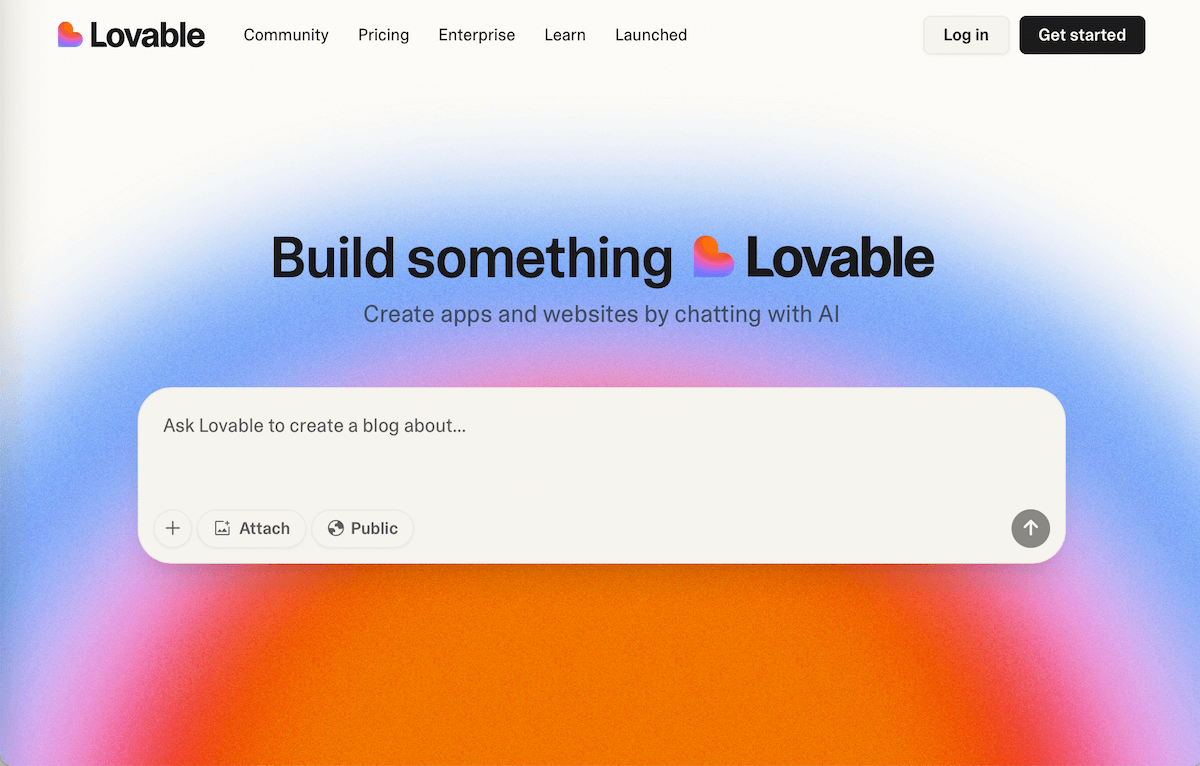
One of the most popular Vibe Coding environments is Lovable. You simply describe to the AI what you want to create. Lovable builds it, and with just a few clicks, the application can be deployed and used.
What is spec-driven development?
Spec-driven development (or spec-driven design) flips the process on its head: First, a precise specification—a kind of technical blueprint—is written, and only then does the AI take over the implementation. In other words, the AI doesn’t work blindly but rather according to a clear set of requirements.
A spec typically includes:
The exact goal and scope of the feature
Inputs, outputs, and data structures
Edge cases and error conditions
Acceptance criteria (when is the feature considered complete?)
Dependencies on other parts of the system
Here’s what a typical spec looks like in practice—in this case, for a newsletter signup endpoint:
# Spec: Newsletter Signup Endpoint

## Goal
POST /api/subscribe – accepts an email address
and stores it in the database.

## Inputs
- email (string, required) – must be in a valid email format
- source (string, optional) – where does the signup come from?
  Values: "footer" | "popup" | "article"

## Outputs
- 200 OK  → { success: true, message: "Thank you for signing up!" }
- 400 Bad Request → { error: "Invalid email address" }
- 409 Conflict   → { error: "Email already registered" }

## Database
Table: subscribers
Fields:  id, email, source, created_at, confirmed (boolean, default: false)

## Edge Cases
- Empty email        → 400
- Duplicate email     → 409, do not create a duplicate
- No @ symbol      → 400
- source missing        → store as NULL, no error

## Acceptance Criteria
- [ ] New email is stored correctly in the DB
- [ ] Duplicate emails are rejected with a 409 error
- [ ] All error cases return structured JSON
- [ ] Unit tests exist for all edge cases
This is a spec that any AI coding agent—whether Claude Code, Codex, or Devin—can implement directly without needing to ask for clarification. Compare this to the “vibe coding” equivalent: “Build me a newsletter signup form.” —which might start off well but often leads to follow-up questions, incorrect scope, or missing edge cases.
This is closer to traditional software development—except that instead of a human developer, an AI implements the spec. Good prompt engineering is crucial here: the more precise the spec, the better the output. Our Prompt Engineering Guide helps you formulate clear specifications.
An Overview of the Most Important Tools
Both approaches now have a broad ecosystem of tools. Here’s an overview so you know right away where to get started:
Vibe-Coding Tools
These tools are designed to let you get started right away—no configuration, no spec document required upfront:
Bolt.new (StackBlitz) – Browser-based, no setup required. Enter a prompt, and the app runs immediately in the browser. Ideal for web apps and quick prototypes.
Lovable – Prompt-to-app platform. Describe your app in natural language, and Lovable builds it—including the Supabase backend and deployment.
v0 (Vercel) – Specializes in UI components. Perfect for quickly generating React components from a description, deployable directly to Vercel.
Replit Agent – Browser-based IDE with an embedded AI agent. Great for simple web projects without a local setup; runs directly in the browser.
Cursor / Windsurf – AI-powered IDEs that support both styles. In Vibe mode: simply describe what you want in the chat, and the AI directly updates the code in the editor.
Claude Cowork (Anthropic) – A desktop app for non-developers. Combines file access, skills, and AI agents without a terminal—ideal for content teams and marketers.
Spec-driven tools
These tools work better—or exclusively—when you provide them with clear requirements and context:
GitHub Copilot Workspace – Automatically converts GitHub Issues into Spec → Plan → Code → Pull Request. The cleanest spec-driven workflow right in GitHub.
Claude Code (Anthropic) – CLI tool with CLAUDE.md as a persistent project spec. Great for complex, local setups and teams. Can also be controlled via Slack.
OpenAI Codex – Async cloud agent. It receives a task description, clones the repo, writes code, and creates a pull request—without you having to be there.
Devin (Cognition AI) – The first “autonomous software engineer.” Independently plans sub-steps, searches for documentation, and debugs—but requires a clear task description as a starting point.
Jules (Google) – Async GitHub agent similar to Codex. Receives an issue, processes it asynchronously, and creates a PR—directly integrated into Google workflows.
Aider – Open-source CLI tool. Specifically reads individual files as context (your de facto spec) and modifies only those files. Very precise and controllable.
Cline – VS Code extension with agent mode. Reads CLAUDE.md and other spec files and systematically works through complex, multi-step tasks.
Vibe Coding vs. Spec-Driven: A Direct Comparison
Criterion
Vibe Coding
Spec-Driven Design
Speed (Start)
Very fast – get started right away
Slower—writing specs takes time
Code Quality
Variable, often technical debt
More consistent, easier to maintain
Suitable for
Solo projects, prototypes, experiments
Teams, production code, complex systems
AI control
Low – AI makes many decisions on its own
High – AI operates within a defined framework
Learning curve
Minimal
Medium – Spec writing is a skill
Typical tools
Bolt.new, Lovable, v0, Replit, Cursor, Windsurf, Claude Cowork
GitHub Copilot Workspace, Claude Code, Codex, Devin, Jules, Aider, Cline
When should you choose which approach?
Choose Vibe-Coding if:
You want to validate an idea quickly (in less than 1–2 days)
You’re working alone and the code is just for you
The project can be scrapped if it doesn’t work
You’re not a developer and just want to get something up and running
Choose spec-driven development if:
Multiple people (or multiple AI agents) are working on the same project
The code is going into production and needs to be maintained
You’re integrating features into an existing system
Traceability and code reviews are important (e.g., for clients)
In practice, today’s top developers use a combination of both approaches: Vibe-Coding for the initial draft, and Spec-driven for the clean implementation. As Cursor 2 demonstrates, modern AI IDEs are already moving in this direction—with built-in agent modes for both workflows.
FAQ: Vibe Coding & Spec-Driven development
What exactly does “vibe coding” mean?
You describe to an AI in natural language what you want to build—without writing a technical specification in advance. The AI iterates with you until the result is right. The term was coined in 2025 by Andrej Karpathy and describes a mindset rather than a method.
Does Claude Code cost anything?
Claude Code requires an Anthropic API account. The cost depends on the model used and the number of tokens processed. There is no separate Claude Code price—you pay for API usage. Claude Cowork is part of the Claude desktop app and is covered by Claude subscriptions.
What is the difference between Codex and Claude Code?
Both are AI coding agents that can work autonomously. OpenAI Codex runs entirely in the cloud (no local setup required), operates asynchronously, and is deeply integrated with GitHub. Claude Code runs locally on your machine as a CLI and has direct access to your files and terminal—making it more flexible for complex, local setups.
Is spec-driven development only for experienced developers?
Not necessarily. At its core, a good spec is a precise task description—even non-developers can write one. Tools like GitHub Copilot Workspace or Claude Code (plus CLAUDE.md) make getting started much easier because the AI helps structure the spec.
Which approach is better for teams?
For teams, spec-driven design is almost always the better choice. Specs can be documented and reviewed, and they enable parallel work—even when multiple AI agents are working on different features at the same time. Vibe-coding in a team quickly leads to inconsistent code and decisions that are hard to trace.
Vibe coding and spec-driven design aren’t enemies—they’re tools for different situations. For quick ideas and prototypes, vibe coding is unbeatable. For anything that’s meant to last and will be further developed by a team, it’s worth investing in a clean spec.
The good news: Tools like Claude Code, GitHub Copilot Workspace, and Codex make spec-driven development so accessible today that the extra effort required is becoming increasingly minimal. The best workflow is usually a mix—and you can try it out today.
Ralf Schukay is a co-founder of AI Rockstars and specializes in AI automation and enterprise solutions. He tests and compares AI tools for professional use and helps teams become more productive through workflow automation.
To provide the best experiences, we use technologies like cookies to store and/or access device information. Consenting to these technologies will allow us to process data such as browsing behavior or unique IDs on this site. Not consenting or withdrawing consent, may adversely affect certain features and functions.
Functional
Always active
The technical storage or access is strictly necessary for the legitimate purpose of enabling the use of a specific service explicitly requested by the subscriber or user, or for the sole purpose of carrying out the transmission of a communication over an electronic communications network.
Preferences
The technical storage or access is necessary for the legitimate purpose of storing preferences that are not requested by the subscriber or user.
Statistics
The technical storage or access that is used exclusively for statistical purposes.The technical storage or access that is used exclusively for anonymous statistical purposes. Without a subpoena, voluntary compliance on the part of your Internet Service Provider, or additional records from a third party, information stored or retrieved for this purpose alone cannot usually be used to identify you.
Marketing
The technical storage or access is required to create user profiles to send advertising, or to track the user on a website or across several websites for similar marketing purposes.