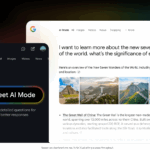
Google is integrating a “personal intelligence” layer into its search engine that connects generative AI directly to your private data from Gmail, Drive, and Photos. The new mode answers questions such as “When does my flight land?” by semantically analyzing your own documents instead of simply displaying generic web results.
Automatic RAG system: Google uses Retrieval Augmented Generation to read your data in Gmail, Drive, and Photos live, completely eliminating the need for manual uploads of documents for context.
Context replaces prompt engineering: Your digital footprint acts as a zero-shot prompt, as the AI already knows relevant information such as travel dates (from tickets) or appointments (from your calendar) and links them automatically.
Targeted trigger words: Consciously activate Personal Intelligence mode with possessive pronouns such as “my flight” or temporal references such as “last week” to have the AI search your own data with priority.
Cross-app intelligence: Use the fusion of data silos for complex queries, for example, by having the AI find an invoice in Google Photos and compare the price directly with current market offers via Shopping Graph.
Control of data sovereignty: To avoid unwanted data processing, you can selectively disable the connection to Workspace services in the Gemini app settings, which is particularly relevant for business use.
Personal intelligence: When web search taps into your own digital memory
The days when Google Search and your private data lived in separate worlds are over. Google DeepMind merges these spheres technically by docking generative AI directly to your personal “data silos.” Specifically, this means that the search engine receives a secure access path to Gmail, Google Photos, and Google Drive. Google is not building a new database here, but is using highly complex interfaces to pull live data from your account into the context of your search query.
RAG on Personal Data
Technically, this feature is based on Retrieval Augmented Generation (RAG) applied to your private data. Unlike generic chatbots, which often hallucinate, the AI here generates answers based on verified facts – namely your own emails and documents. When you ask a question, the model searches for relevant chunks of information in your cloud storage, feeds them into the language model as context, and generates the answer from them. The AI doesn’t “guess”; it actually reads along.
The decisive leap lies in the depth of integration and semantics. In the past, you had to enter exact keywords to find an email. Personal Intelligence understands the semantic context. A query such as “When is my flight?” does not simply search for the word “flight,” but identifies the PDF ticket attached to a confirmation email, extracts the date and time, and even compares this with current flight data.
It is important to distinguish this from AI overviews: While normal “AI overviews” summarize information from the public web (e.g., “How do I bake a cake?”), personal intelligence activates a completely different level. It is a private layer that overlays public search. The AI distinguishes between context: Are you looking for general facts or information that only you can have? The answer is therefore no longer universal, but “uniquely yours.”
The strategic advantage: Why data context replaces prompt engineering
Forget spending hours fine-tuning system prompts. Perhaps the biggest fallacy of the current AI wave has been the assumption that every user must retrain as a “prompt engineer” to get good results. “Personal intelligence” in search reverses this approach: the most powerful prompt is the one you don’t have to write in the first place.
This is the essential “rock star angle” for frictionless AI: The quality of the response no longer depends on your ability to laboriously explain the context (“I’m a project manager, traveling to Berlin next week…”), but on the AI already possessing that context. Your digital footprint becomes a zero-shot prompt.
The end of manual “context stuffing”
Until now, the workflow for personalized AI assistance has often been cumbersome and characterized by media breaks: you search for a PDF in Google Drive, download it, upload it again to ChatGPT or Claude, and then ask your question. This step is completely eliminated.
Your data silos (Gmail, Docs, Photos) are transformed from passive archives into active, directly accessible sources of knowledge. Since the pipeline between Google services is already in place, the model accesses the information in-place. You no longer have to feed the AI—it’s already sitting at the table.
Hyper-personalization instead of generic lists
The strategic advantage lies in the massive enrichment of your intent. For example, if you type “book hotel” into a classic search today, you’ll get generic ads or aggregator lists.
With data context enabled, the command is transformed in the backend. The AI analyzes in the background:
Insight: You have a flight confirmation in Gmail for November 14 to 16 to London.
Enrichment: The internal prompt becomes “Search for hotels in London with availability from 11/14-11/16.”
Cross-reference: It may even see in your Google Calendar that your meetings are taking place in Shoreditch and adjust the geolocation of the suggestions accordingly.
The result is no longer a list of possibilities, but a curated solution for your specific scenario, without you having to manually type in a single date.
Ecosystem war: Google Gemini vs. Apple Intelligence vs. ChatGPT Memory
Now it’s getting strategically exciting. While we’ve long focused on the pure capabilities of large language models (LLMs), the battleground is now shifting to the so-called data moat – the data trench that separates providers from each other.
This is where Google plays its most powerful card: they already own the data. While OpenAI (ChatGPT) relies on you manually entering or uploading information, Google sits at the source. Gmail, Google Photos, Drive, and Android form an ecosystem in which AI already “lives.” The model comes to the data, not the other way around. This is a fundamental difference from OpenAI’s current architecture, where the “memory” consists only of isolated snippets that you have actively revealed to the AI.
Apple, on the other hand, is taking a third approach. With Apple Intelligence, the focus is radically on privacy and local processing (on-device), which is secure but often integrates less context from the cloud (such as ancient emails) than Google’s approach.
Here you can see the different philosophies in direct comparison:
Criterion
Google (Gemini in Search)
Apple Intelligence
OpenAI (ChatGPT Memory)
Architecture
Cloud-first (hybrid), massive computing power
On-device-first (private cloud compute), focus on hardware
Cloud-only, isolated instance
Data access
Native & historical: Accesses years of emails, photos, and documents
Contextual: Accesses what is currently happening on the screen/in the OS
Learning: Only stores information from specific chats (“memory”)
Integration
Deeply rooted in Google Workspace & web search
Deeply integrated into iOS/macOS & system APIs
Standalone app (or desktop app), requires uploads
Main purpose
Expand information retrieval & web search
Perform actions (action model) & daily assist
Creativity, coding, and entertainment
The vendor lock-in trap
This immense convenience comes at a price that goes beyond monthly fees: vendor lock-in. The better “personal intelligence” works, the harder it becomes for you to leave the ecosystem. If Google Search provides you with such brilliant answers simply because it knows your Gmail history and Google Photos, switching to Outlook or Dropbox suddenly becomes unattractive. So here you are trading data sovereignty for a seamless user experience that no isolated AI chatbot can offer you at this level of depth.
Use cases & workflows: The end of generic search queries (practical guide)
Forget the tedious task of piecing together information from different browser tabs. When Personal Intelligence is activated, the search bar becomes a command center that merges your private data silos with the knowledge of the World Wide Web. Here are three specific workflows that will immediately speed up your everyday life.
Scenario 1: Dynamic travel planning
Until now, you had to search for your Booking.com confirmation in Gmail, copy the address, and then filter for restaurants in Maps. Now, AI does the context switching for you.
The prompt: “I’m landing in London next Tuesday. Find an Italian restaurant near my hotel that will still be open when I arrive.”
The workflow:
The AI extracts the landing time and airport from your Gmail flight confirmation.
It calculates the transfer time to the hotel (address from another Gmail confirmation).
It performs a web search, filters for opening hours based on your arrival time, and delivers curated results.
Scenario 2: Visual search & OCR (Optical Character Recognition)
Your digital memory is often visual. Google Photos serves not only as storage, but as a searchable database.
The prompt: “Show me my receipt for the monitor I bought in May 2023 and compare the price with current offers.”
The workflow:
The AI scans your Google Photos timeline for documents that look like receipts and are dated May 2023.
It uses OCR to read the model number and purchase price from the image.
Using Shopping Graph (web), it checks the current market price and shows you directly whether the device would be cheaper today.
Scenario 3: Project management without search frustration
Status updates are time-consuming. Instead of manually searching through email threads and Drive folders, let the AI aggregate the information.
The prompt: “What is the latest status of the ‘Website Relaunch’ project and what deadlines were mentioned in this week’s emails?”
The workflow:
The AI synthesizes information from Google Drive (project plans, Docs) and current Gmail histories into a concise summary. You receive a briefing instead of a list of links.
Best practices: How to trigger personal intelligence
Prompt framing is crucial for the AI to know that it should access your personal data. You need to make the context of your intention clear.
Here is a comparison of how you need to change your requests:
Generic search (legacy)
Personal Intelligence Search (New)
“Flight status LH450”
“Is my flight to Los Angeles on time?”
“Invoice template PDF”
“Show me my latest invoice from Vodafone.”
“Meeting Agenda Template”
“What’s on my agenda today and where are the documents for it?”
“Weather in Mallorca next week”
“What will the weather be like at my vacation destination next week?”
Use possessive pronouns such as “my,” “our,” or direct references to time (“last week”) to force AI mode to look at your data first before consulting the web.
Data protection vs. convenience: Where Google draws the line (and where it doesn’t)
This is where we enter the real minefield of personal intelligence. For the AI’s response to be truly “uniquely yours,” it must have access to your most intimate digital files. Technically speaking, this means that your emails, photos, and documents are no longer just passively stored, but actively scanned and loaded into the context of the AI search (Retrieval Augmented Generation). Although Google assures us that your personal content will not be used to train the underlying Gemini model for everyone or to sell advertising, the psychological hurdle remains: the AI is “reading” along.
Opt-out and the illusion of control
Where do you pull the plug? Control over this profound integration is hidden in the Google settings. By default, Google pushes networking, but you can control it:
Go to Data & Privacy in your Google account.
Navigate to the settings for Gemini apps.
Here you can specifically turn the connection to Google Workspace (Gmail, Drive, Docs) on or off.
Transparency is provided, but it requires initiative on your part. If you simply accept the default settings (“Accept All”), you open your data vaults completely to the algorithm.
The business context: a nightmare for compliance?
It becomes particularly critical when professional and private life mix. Do you also use your private Gmail account for business correspondence, or do you have project PDFs in your private Drive? The moment you make a personalized search query (“Show me project XY”), this data is processed. This poses a massive risk for companies (data leakage), as sensitive information ends up in the context window of a consumer product. IT administrators must enforce clear guidelines for “shadow IT” here: no company secrets in accounts with active personal intelligence.
Looking ahead: Privacy is currency
Will privacy concerns slow down usage? Probably not. We have already learned to trade our location data for accurate traffic alerts in Google Maps. Something similar will happen here: the massive gain in convenience—never again having to manually search for a booking number or document—will outweigh the abstract discomfort of having AI read your mail for most users. The deal is: total convenience in exchange for total transparency with the provider.
Conclusion: Your context is the best prompt
Personal intelligence marks the transition from classic search to a true digital assistant. The days when you, as a translator, had to act as a translator between your data silos and AI are over. Google is playing to its biggest advantage here: the system doesn’t need to be fed first – it’s already at the source. For you, this means less “prompt engineering” and more direct problem solving. The context of your emails and documents beats even the most sophisticated keyword set.
But this convenience is a double-edged sword. Vendor lock-in is real. Once you get used to the search engine directly matching your flight status with your hotel booking in your inbox, you’ll hardly want to leave the “golden cage” of the Google ecosystem. You are trading maximum convenience for deep dependence and data transparency.
What happens next? Don’t wait, but actively test the limits of this new layer to see if the productivity gains outweigh your privacy concerns.
Your action plan for the next 10 minutes:
🛠 Check your configuration: Go to Data & Privacy in your Google account right now and check under “Gemini Apps” to see if the Workspace extension is active. Make a conscious decision: On or off?
🧪 The “zero-click” test: Open Google and ask a question that only you can answer (e.g., “When does my subscription to Tool XY expire?”). Compare the response time with your manual search in your email archive.
🧹 Data hygiene: Before you use personal intelligence at work, separate your private life from your professional life. Sensitive company data in your private context window is a no-go.
The technology is there to take the hard work off your hands—let it work for you, but don’t hand over the car keys completely.
The AI now knows your data—but only you decide what it does with it.
To provide the best experiences, we use technologies like cookies to store and/or access device information. Consenting to these technologies will allow us to process data such as browsing behavior or unique IDs on this site. Not consenting or withdrawing consent, may adversely affect certain features and functions.
Functional
Always active
The technical storage or access is strictly necessary for the legitimate purpose of enabling the use of a specific service explicitly requested by the subscriber or user, or for the sole purpose of carrying out the transmission of a communication over an electronic communications network.
Preferences
The technical storage or access is necessary for the legitimate purpose of storing preferences that are not requested by the subscriber or user.
Statistics
The technical storage or access that is used exclusively for statistical purposes.The technical storage or access that is used exclusively for anonymous statistical purposes. Without a subpoena, voluntary compliance on the part of your Internet Service Provider, or additional records from a third party, information stored or retrieved for this purpose alone cannot usually be used to identify you.
Marketing
The technical storage or access is required to create user profiles to send advertising, or to track the user on a website or across several websites for similar marketing purposes.