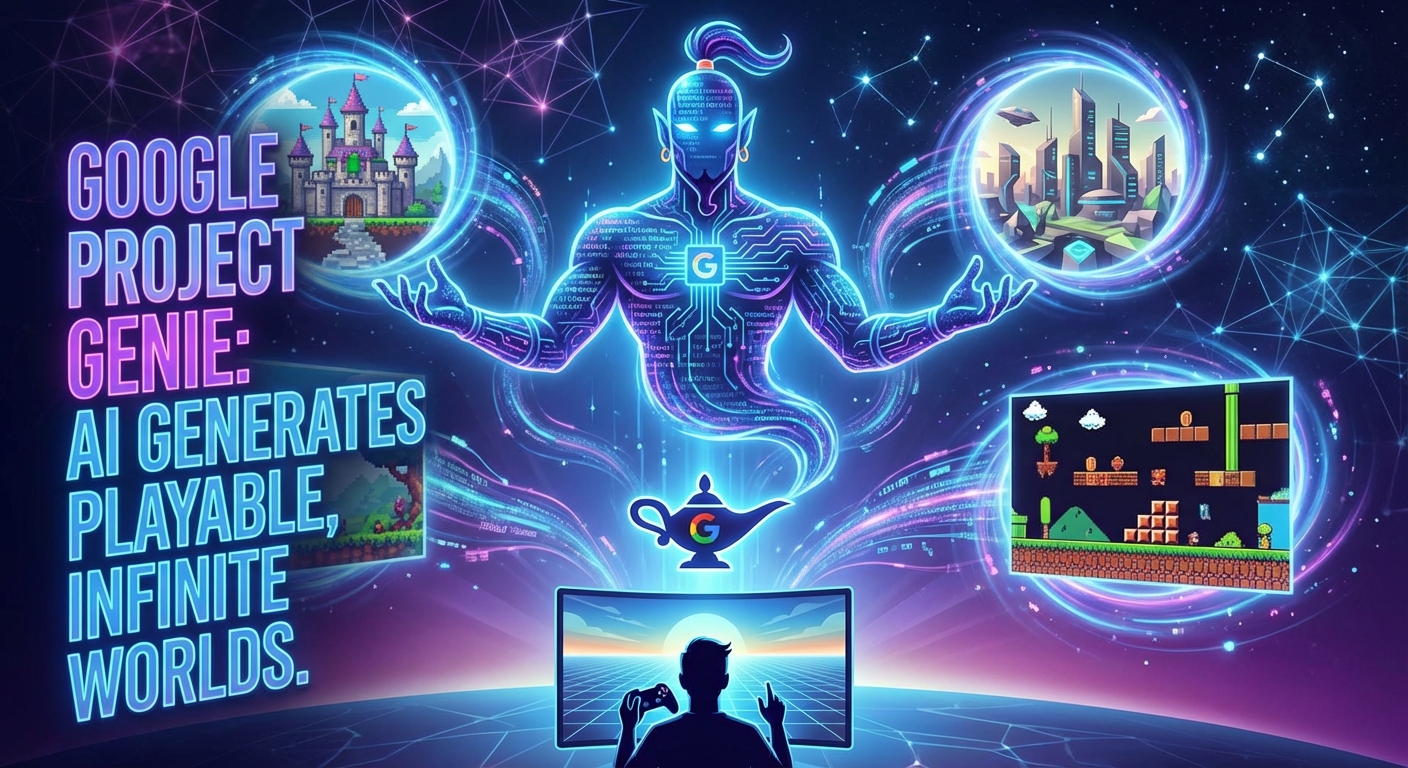
Google DeepMind is launching “Project Genie,” an AI platform that instantly generates playable worlds from simple text commands. Unlike pure video generators, the underlying Foundation World Model understands control commands and simulates game mechanics at 24 fps in real time. But behind the technical breakthrough lie tough restrictions: a 60-second limit, massive subscription costs, and physics that tend to hallucinate.
- Real-time performance: The 11B parameter Foundation Model generates interactive worlds “on-the-fly” in 720p at 24 fps, but sacrifices visual quality for low latency.
- Hard limitation: Due to the enormous computing effort in the context window (approx. 16 frames history), each simulation has a technical 60-second hard cap before it is terminated.
- Cost & access: Access is exclusively available through the $250/month “Google AI Ultra” subscription via web interface; a developer API for integration does not currently exist.
- Statistics instead of physics: Unlike game engines (Unity), there is no code for collisions; Genie uses latent action learning to “dream” movements unsupervised, resulting in “janky physics” and hallucinations.
The paradigm shift: From “generative media” to “generative interactive”
Until now, generative video AI has followed a passive principle: the user provides the prompt, the model delivers the clip – the result is static (e.g., OpenAI Sora). With Project Genie (powered by Genie 3), Google DeepMind is breaking this dogma and establishing a new category: Interactive World Models. We no longer watch a video, we control it.
The core concept is based on latent action learning. The model has been trained not only to understand video content visually, but also to learn the implicit actions between frames. Genie recognizes unsupervised that a change in the image (e.g., Mario jumps) correlates with a latent vector that we can later retrieve as a “jump” at the touch of a button.
Hard Specs: The Technical Basis (as of January 2026)
To enable a “playable world” in real time, the architects had to make compromises between resolution and latency. The current specifications of the Genie 3 Foundation Model represent the current limit of what is feasible:
- Architecture: 11B parameter Foundation World Model (based on a spatiotemporal transformer backbone).
- Performance: 720p resolution at 24 fps. The model generates frames on-the-fly as the user presses buttons.
- Tokenizer: A specialized video tokenizer compresses the visual input into discrete tokens that the model can predict autoregressively.
- Seed generation: The initial frame (world sketch) is often generated by a separate image gen model (Nano Banana Pro) before Genie 3 takes over the dynamics.
“Dream Simulator” vs. Game Engine
It is crucial to understand that Project Genie is not a game engine in the classic sense (such as Unity or Unreal). There is no code for gravity, no polygon collisions, and no hard-coded logic.
Instead, Genie acts as a statistical dream simulator. When a character runs into a wall, the model does not calculate an impact vector. It analyzes the context (tokens from the last frames and user input) and predicts the most likely next frame.
- Advantage: Infinite flexibility. You can jump against a wall in a generated cathedral, and the model might “hallucinate” that there is a secret door there because it has learned this from training data from platformers.
- Disadvantage: Instability. The physics correspond to dream logic. A car can lose wheels at high speed or glitch through the ground (clipping) because the model only emulates causality statistically, not logically.
Generative AI in comparison
To illustrate the technological leap from pure video generation to interactive worlds, it is worth comparing the current market leaders directly:
| Feature | Google Genie 3 | OpenAI Sora (v2/Turbo) | GameNGen |
|---|---|---|---|
| Category | Interactive World Model | Video Generation | Game Simulation / Cloning |
| Interaction | Yes (real-time inputs) | No (passive) | Yes (Doom inputs) |
| Physics | Statistically “dreamed” (hallucinatory) | None / Visually stable | Overfitted to a specific engine (Doom) |
| Frame rate | 24 fps (real-time) | Non-real-time rendering | 20-50 fps |
The limitations of Alpha
Despite impressive progress, the enormous computing power required for autoregressive generation is forcing Google to impose strict limitations on the current production alpha release:
- The 60-second hard cap: Due to the exploding complexity in the context window, the simulation stops after exactly one minute. Persistence beyond this period is currently not economically scalable from a technical standpoint.
- Lack of API: Access is currently only possible via the web interface in the “Google AI Ultra” subscription ($250/month). Developers cannot yet integrate Genie into their own applications via API, which prevents its use as a true “game dev engine.”
Under the Hood: How a Transformer Learns “Actions”
The architecture of Genie 3 radically breaks with the way software has represented interaction for decades. There is no code for collisions or gravity. Instead, the system is based on an 11B parameter Foundation World Model that transforms raw video data into playable simulations.
Spatiotemporal (ST) Tokenizing: Compressing Reality
Since raw video data (720p at 24fps) is far too large for real-time processing, Genie uses a spatiotemporal (ST) transformer. This not only “looks” at individual images, but at small video snippets (batches of time and space) and compresses them into discrete tokens.
- Vectorization: Similar to how LLMs translate words into vectors, Genie translates visual changes into mathematical representations.
- Context Window: The model keeps a history of approximately 16 frames in memory in order to display motion sequences smoothly (temporal consistency).
The “Latent Action” miracle (unsupervised learning)
The biggest technical hurdle in development was the lack of labeled data. Internet videos of games do not contain keystrokes. Genie solves this with the Latent Action Model (LAM).
The model analyzes frame A and frame B and asks itself: “What invisible force (action) caused the image to change in this way?”
Genie learns completely unsupervised:
- Clustering: It groups similar visual changes (e.g., character moves upward) into discrete clusters.
- Mapping: These clusters are coded as latent actions. When the user presses the “up arrow key,” they simply call up the cluster that statistically represents “upward movement.”
- Abstraction: The system does not understand the concept of “jumping,” only the statistical probability that pixel groups will move vertically when this command is given.
The autoregressive inference pipeline
The render loop differs massively from Unity or Unreal. It does not render, but predicts. The process runs in real time via cloud inference:
- Seed Frame: A text-to-image model (Nano Banana Pro) creates the initial “world sketch.”
- Prediction Loop:
- Input:
History FramesUser Action Token - Process: The model calculates the most probable distribution of the next pixel tokens.
- Output: Detokenizer converts tokens back into the next video frame.
- Input:
- Repetition: This loop runs 24 times per second (24 fps).
Graphics engine vs. neural world model
To understand why Genie produces things like “janky physics,” you have to consider the fundamental difference from the classic graphics pipeline:
| Feature | Classic Game Engine (Unreal/Unity) | Neural World Model (Genie 3) |
|---|---|---|
| Building blocks | Polygons, textures, meshes | Video tokens, latent actions |
| Logic | Deterministic code (`if wall: stop`) | Probabilistic statistics (`P(next_frame)`) |
| Physics | Calculated (Newtonian mechanics) | “Hallucinated” (based on training data) |
| Rendering | Rasterization / Raytracing | Neural decoding |
| Error pattern | Bugs, clipping | Inconsistencies, morphing objects |
In summary: If a character in Genie runs into a wall and doesn’t pass through it, this is not due to a programmed collision detection. It is because the model has learned from its training data that objects in videos do not normally pass through solid walls. It is a simulation through imitation.
Market classification: Genie 3 in comparison (Sora & GameNGen)
To classify Genie 3 correctly from a technical standpoint, it is important to understand that it does not compete with classic video generators. While the market leader in the video sector optimizes for visual perfection, Google deliberately sacrifices this quality for interactivity and latency.
Visual quality vs. interactivity: The comparison with OpenAI Sora
The most fundamental difference to models such as OpenAI Sora (v2/Turbo) lies in “agency.” Sora is a passive medium: the user enters a prompt and receives a visually polished video in return. The physics are visually plausible, but not calculated.
Genie 3, on the other hand, is a world model. It not only generates pixels, but also simulates causal relationships (“If I press right, the background must shift”).
- Sora: Optimized for the human eye (high fidelity, high consistency). The user is a spectator.
- Genie 3: Optimized for agent actions (real-time 24fps, latent actions). The user is an actor.
The price for this real-time interactivity is resolution. While Sora delivers cinema-quality results, Genie 3 often operates at 720p level with visible artifacts and “janky physics” because the inference pipeline is under enormous time pressure.
The Competence Matrix
Here is a direct comparison of the current top models in the field of generative media/simulation (as of January 2026):
| Feature | Google Genie 3 | OpenAI Sora (v2/Turbo) | GameNGen (Doom Sim) |
|---|---|---|---|
| Core function | Interactive(playable world) | Passive (video generation) | Replication(Cloning) |
| Inference | Real-time (24 fps) | Non-real-time (rendering) | Real-time (20-50 fps) |
| Control | Latent Actions(Learned, fluid) | None (prompting only) | Hardcoded inputs |
| Consistency | Medium (hallucinations possible) | High (visually very stable) | Very high (overfitted) |
| Architecture | Generalist (foundation model) | Diffusion Transformer | Specialist (overfitted model) |
Simulation vs. Replication: The Difference to GameNGen
Genie is often confused with GameNGen, which has already demonstrated how a neural network can simulate the game Doom. However, the technical approach is the opposite:
- GameNGen (Specialist): The model was massively trained on a specific game (Doom) (“overfitting”). It perfectly replicates known game mechanics, but cannot do anything else. It is basically a neural emulator.
- Genie 3 (Generalist): Genie is a Foundation World Model. It has watched millions of hours of various 2D platformers and robotics videos. It does not emulate an existing game, but “dreams” new worlds based on generalized rules. When the user jumps against a wall, the model guesses what should happen based on probabilities – there is no fixed game logic.
Target group matrix
This results in completely different use cases, which Google also positions strategically differently from its competitors:
- Sora / Veo: The target audience is creatives, Hollywood, and marketing. The goal is content creation.
- GameNGen: The target audience is engine developers and tech demos. The goal is to increase rendering efficiency.
- Genie 3: The actual target group is robotics research and AGI development. Google primarily uses Genie as a “gym” (training environment) for AI agents. If an AI can learn to solve complex tasks in a simulated Genie world, this knowledge can potentially be transferred to real robots – without the risk of expensive hardware damage. The “game aspect” for end users is currently more of a by-product of this research.
Practical guide: Rapid prototyping in the “Google AI Ultra” lab
Since DeepMind does not currently provide a developer API for Genie 3, the entire interaction process runs through a closed web environment in Google Labs. This workflow simulates how game designers use the tool for rapid prototyping despite its limitations.
Requirements & access
Getting started is costly. Access to Project Genie is exclusively hidden behind the Google AI Ultra subscription ($250/month). It is important to understand that this is purely an inference interface – there is no access to the model weights and no way to upload your own datasets for fine-tuning.
Step 1: World Sketching (Zero-Shot)
The process does not begin with code, but with a single image, known as the seed frame. Google uses the Nano Banana Pro image pipeline in the backend for this.
A typical workflow for a 2D platformer concept looks like this:
- Prompting: The user defines the visual setting and perspective.
- Example prompt: “A grimdark gothic cathedral ruin, heavy fog, pixel art style, 2D side scroller view, character is a knight in rusted armor.”
- Generation: The system creates a static start image. This single image serves as the “ground truth” for the world model; all physical laws (e.g., gravity, collisions) are statistically derived from this context by Genie 3.
Step 2: Exploration (Interactive Loop)
Once the seed frame is in place, the Genie 3 Dynamics Model takes over. The user starts the simulation.
- Control via latent actions: Input is via arrow keys. Important: These are not hard-coded commands. The model has learned unsupervised which visual changes (e.g., figure moves to the right) usually correlate with certain latent vectors.
- Hallucinated logic: The 60-second session (hard cap) reveals the strengths and weaknesses of the model. If the player runs into a wall and continues to press “jump,” the model can spontaneously generate (“hallucinate”) a ladder or secret passage to maintain the visual flow.
- Performance: Rendering is done in 720p @ 24fps. Since each frame is generated autoregressively based on history, latency is noticeable but acceptable for prototyping.
Step 3: Export & Analysis
Since the generated world is not persistent (objects disappear when you walk back), the tool is not suitable for building real levels. The actual output is the video.
Power users therefore use Genie as a “dynamic mood board”:
- Visual target: Instead of just giving a development team a concept drawing, the designer exports a 60-second clip.
- Gameplay feel: The video demonstrates not only the visuals, but also the desired “weight” of the animations and the atmosphere of the interaction. The development team then recreates these mechanics in a real engine (Unity/Unreal).
Reality check: Why Genie is not (yet) a game engine
Despite the hype as an “infinite world simulator,” practical tests in the alpha phase reveal fundamental hurdles. Anyone who considers Genie 3 a replacement for Unity or Unreal misunderstands the technology. It is a dream simulator, not a physics engine.
The problem of object permanence & physics
When you place a box in a traditional game engine, it stays there – coordinated by fixed database entries and coordinates. Genie, on the other hand, “dreams” the world anew frame by frame (autoregressive).
- Amnesia of the world: If the player turns around and runs back, the door they came through is often gone or has a different color. The model loses objects from the context as soon as they leave the context window.
- Janky Physics: There is no collision detection. Users report massive clipping (characters running through walls) or cars losing wheels at high speeds. The model does not calculate friction or gravity; it merely hallucinates what these should look like statistically.
The Control Illusion: Latent Actions
The most innovative part of Genie— latent action learning —is also its biggest weakness in terms of gameplay. In classic engines, input is deterministic (key W = vector Y 10). With Genie, input is probabilistic.
- The model interprets a key press based on the video context.
- Consequence: A key press for “forward” can trigger correct running in frame 10, but in frame 50 it can cause the character to jump because the model misinterprets the visual situation.
- The result is “spongy” controls that make precise platforming impossible.
Game engine vs. world model (comparison)
| Feature | Classic Engine (Unreal/Unity) | Project Genie (Genie 3) |
|---|---|---|
| Logic | Deterministic (code) | Probabilistic (statistics) |
| Memory | Permanent (database/state) | Volatile (context window) |
| Physics | Calculated (Newtonian physics) | Hallucinated (visual consistency) |
| Output | Exactly reproducible | Varies with each “seed” |
The cost-benefit trap
Critics on Reddit and HackerNews see the $250/month price tag for “Google AI Ultra” as massively disproportionate to its benefits.
- 60-second limit: Due to the enormous computing power required, the tool stops after one minute. According to community feedback, this degrades the tool to an “interactive GIF generator.”
- Data collection: The prevailing theory in the tech scene is that Genie primarily serves to generate various training data for robotics. “Power users” are therefore paying to teach Google what physical interactions might look like in new environments.
Conclusion for developers
As long as Genie does not implement physics anchoring (linking pixels with logical rules) and real long-term memory, it remains an impressive tech demo for generative videos, but not a tool for game design.
Conclusion
Google Genie 3 marks a historic tipping point in AI development, but it is not (yet) a product for the mass market. We are witnessing the end of passive viewing and the beginning of “neural simulation.” Technically, unsupervised learning of actions (“latent actions”) is a stroke of genius: an AI that understands game mechanics without ever having seen a line of code is revolutionary.
But: anyone expecting competition for Unity or Unreal behind the paywall will be bitterly disappointed. Genie is a dream simulator with amnesia. The world is fleeting, the physics are hallucinatory, and after 60 seconds, the illusion collapses. For $250 a month, you don’t get a game engine, but access to the world’s most expensive GIF generator – and you help Google generate training data for their robotics division.
Decision aid:
- Stay away if you’re an indie developer or game designer. You need determinism, collision detection, and persistence. Genie 3 delivers none of that. It’s a “casino” for pixels – sometimes you win a ladder, sometimes you lose the ground beneath your feet. Stick with Unreal/Godot.
- Go for it if you’re an AI researcher, tech strategist, or concept artist. If you want to understand where AGI and robotics are headed, or if you need radically new, surreal visuals for mood boards (and have the budget), this is your playground. It’s the most advanced “what if” tool on the market.
Action:
Save yourself the subscription as long as there is no API. Instead, keep an eye on the integration technologies. The future lies not in Genie as a standalone product, but in fusion: a classic engine for the logic framework (gameplay), enriched with neural renderers such as Genie for infinite texture and asset generation in real time. Until then, Genie 3 remains a fascinating but outrageously expensive tech demo. Wait.