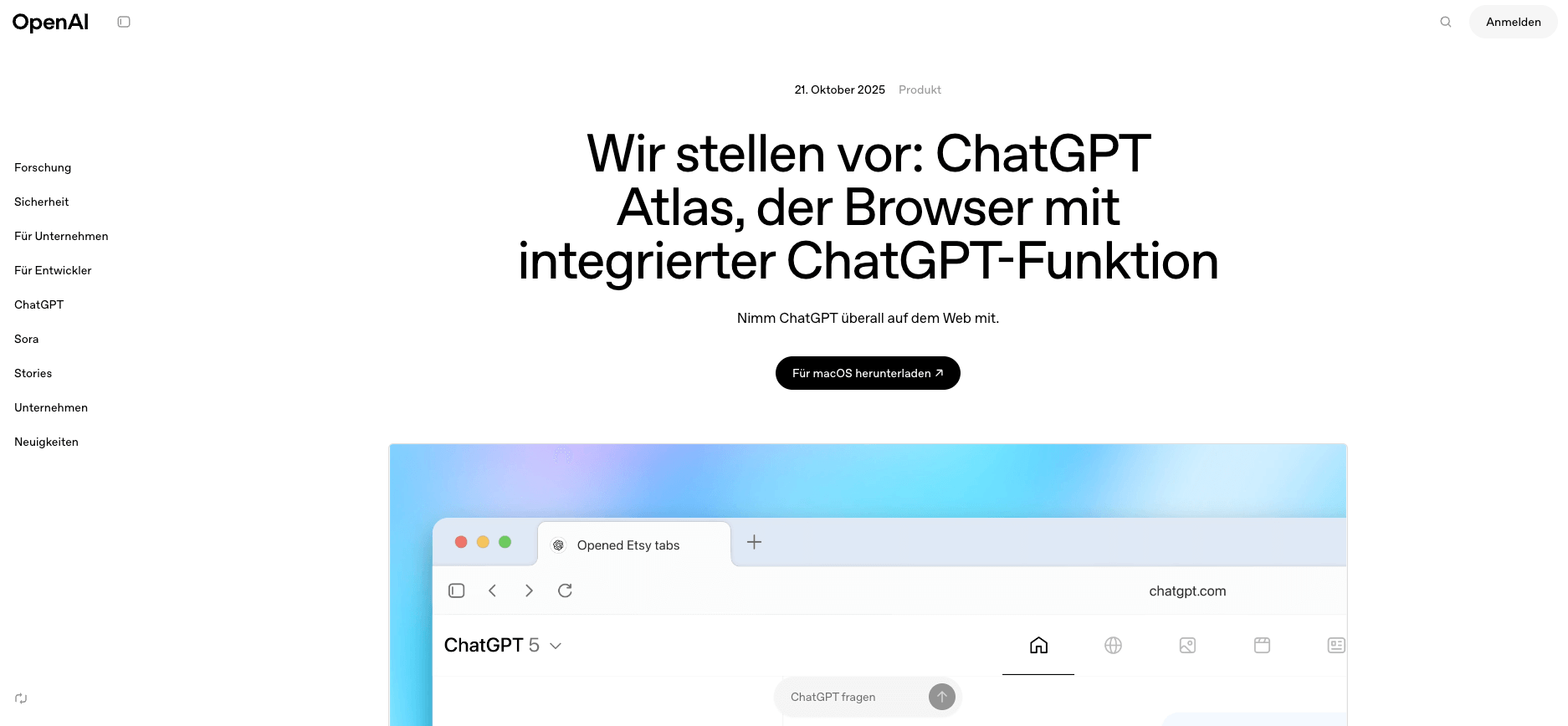
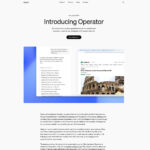
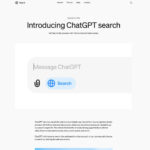
ChatGPT Atlas: Functions, application & comparison of the new OpenAI platform
ChatGPT Atlas revolutionizes the web experience as a full-fledged AI browser through seamless AI integration. Unlike traditional AI tools, Atlas connects intelligent conversation directly to your browsing behavior and automates…
FSFlorian SchröderUpdated Jun 8, 202613 min read Human reviewed
✓ ReviewedLast updated June 8, 2026 by Florian Schröder
ChatGPT Atlas revolutionizes the web experience as a full-fledged AI browser through seamless AI integration. Unlike traditional AI tools, Atlas connects intelligent conversation directly to your browsing behavior and automates complex tasks with persistent memory.
TL;DR – ChatGPT Atlas
ChatGPT Atlas is best understood as an AI browser workflow, not just another chat interface. Its value is highest when browsing context, memory, research, and task execution belong in one place. For sensitive workflows, teams should still define approval steps, data boundaries, and browser-permission rules before using agent-style automation.
Our verdict: where ChatGPT Atlas is actually useful
ChatGPT Atlas is strongest when the browser itself becomes the workspace. Research, competitive analysis, campaign planning, shopping research, and document review benefit from an assistant that sees the page context and can keep a task thread alive across multiple steps.
Use case
Atlas fit
Why
Watch-out
Research-heavy work
High
The assistant can work directly with web pages, notes, and follow-up questions.
Always verify sources before using conclusions commercially.
Content planning
High
Atlas can connect SERP research, competitor pages, and draft outlines in one flow.
Generic outputs need editorial judgement and examples.
Routine browsing tasks
Medium
Agent-style browsing can reduce repetitive clicking and comparison work.
Do not automate actions that require legal, financial, or account-level approval.
Developer workflows
Medium
Useful for documentation research and API exploration.
For code execution and repository work, Codex or Claude Code may be a better fit.
Private enterprise data
Conditional
Potentially useful if governance is clear.
Requires strict data classification, browser permissions, and audit rules.
Editorial recommendation: use Atlas first for research and planning workflows, not for unsupervised transactions. The productivity gain is real only when the task has a clear goal, trusted sources, and a human review step.
Browser integration fundamentally differentiates Atlas from other OpenAI products and enables context-aware work without constant tab switching.
Agent Mode performs complete searches, analyses and multi-stage tasks independently on voice command, which saves time, especially when automating marketing workflows.
The persistent memory system saves conversations and browser context across sessions so that you can continue working on complex projects without losing information.
Data protection settings are particularly important with Atlas, as the system collects extensive data – only activate site access for trusted domains and set memory controls to “Selective”.
In the corporate context, Atlas poses GDPR challenges as confidential information can be processed automatically – define clear internal usage guidelines for different data categories.
Use the full version of the article to get to know the practical use cases for your workflow and configure Atlas optimally for your specific needs.
Imagine your browser thinks for you – answers questions, automates tasks and even remembers the context of your last search, no matter how long ago it was. That’s the promise of ChatGPT Atlas, the brand new AI platform from OpenAI, which is currently causing quite a stir in marketing and product management circles.
Whether you jump between Google, LinkedIn and Docs on a daily basis, create complex market analyses or finally want to write smarter texts: Atlas addresses exactly the needs that have long made us wish for real AI browsers. Automated research, an inline writing assistant and a persistent memory system – all directly in your existing surfing interface, without tool hopping and without constant copy & paste.
The best thing about it? You control Atlas using natural language and decide which data is saved. This is particularly exciting for anyone who values data protection and traceability: The privacy controls can be specifically adjusted. 💡Tip: Test critical automations on dummy data first – Atlas learns with you, but also quickly deletes the context again if you want it to.
You can get it here:
A clear overview of functions, settings and practical applications
Comparison with ChatGPT web app and API (costs, strengths, limitations)
Immediately actionable checklists, copy & paste prompts and mini FAQs
Honest assessments from marketing practice – including data protection pitfalls
Curious about how Atlas really changes your daily productivity – and what the technology does in real business? Then let’s dive straight into the most important basics and use cases.
What exactly is ChatGPT Atlas?
ChatGPT Atlas is OpenAI’s first full-fledged AI browser that integrates conversations, automation and persistent reminders directly into the browsing experience. Unlike the well-known ChatGPT web app or API, it is a standalone browser application that intelligently augments your entire web behavior.
The basics of the new platform
Atlas differs fundamentally from other OpenAI products through its native browser integration. While the ChatGPT web app requires you to switch between separate tabs, Atlas works directly in your browsing session.
The technical architecture is based on a hybrid system:
Conversational search engine replaces traditional search bars
Context engine analyzes current web pages in real time
Memory layer stores conversations and browsing context across sessions
Core functions in detail
Atlas revolutionizes four key browsing areas through AI integration:
AI-powered search bar: Direct answers instead of lists of links
Context-aware sidebar: Instant summaries and comparisons of the current page
Persistent memory system: Continuous work sessions without loss of context
Smart tab management: standardized workspaces for chat, web content and media
The “Ask ChatGPT” sidebar function allows you to ask complex questions about the current content or request comparisons without having to switch pages.
💡 Agent Mode – The centerpiece for power users
Agent Mode automates multi-step tasks using natural language commands. For example, you can say: “Register me for a science event next week” – Atlas carries out the entire research, selection and registration process independently.
Practical limitations exist with complex authentication processes and data protection-critical transactions. The agent works optimally with standardized web forms, appointment bookings and product comparisons.
Atlas transforms browsing from a passive search experience into an active entertainment experience with continuous context and autonomous task processing – a paradigm shift compared to conventional chat-based AI tools.
Practical application: How you use Atlas in practice
Atlas transforms your ordinary browser into an AI-driven workplace. It takes just a few minutes to set up, but the right configuration will make or break your productivity.
Setup and first steps
Installation takes place via the official OpenAI website using your existing account. Particularly important: configure your privacy settings immediately.
Essential first steps:
Activate site access only for trusted domains
Set memory controls to “Selective” instead of “Always”
Delete browser memory regularly via Settings > Memory Management
Use incognito mode for sensitive searches
💡Tip: Test Atlas on non-critical websites first before processing business data.
Optimize research and learning
The sidebar function “Ask ChatGPT” revolutionizes your research workflows. Click the ChatGPT icon on the right and ask contextual questions about the current page.
Proven sidebar prompts:
“Summarize the core arguments in 3 points”
“Compare this position with [topic] from my last session”
“What sources are missing for a complete evaluation?”
The persistent memory system remembers your research contexts across multiple sessions. You can seamlessly continue working on complex topics without repeating information.
Content creation directly in the browser
Atlas offers in-line writing assistance directly in forms, email fields and social media posts. Simply select your text and choose “Improve with ChatGPT”.
Copy & paste prompt templates for common tasks:
“Write more professionally, but keep it personal”
“Shorten to a maximum of 100 words without losing information”
“Translate into German and adapt to local business conventions”
The Agent Mode function (for Plus users only) automates multi-stage content workflows. For example, you say “Create a LinkedIn post based on this article” and Atlas takes care of research, formulation and formatting.
Atlas turns every browser tab into an intelligent workspace that thinks along with your thoughts and tasks – ideal for marketing professionals who switch between different platforms every day.
The three OpenAI platforms differ fundamentally in the way they work and their objectives. While Atlas was designed as a fully integrated browser, Web App and API remain focused on specific use cases.
Function matrix in detail
Conversational browsing is the biggest difference. Atlas integrates AI conversations natively in every tab, while the ChatGPT web app only offers browsing-like functions via the separate browse tool.
The most important functional differences:
Task Automation: Atlas provides built-in agent mode for multi-step tasks, API requires custom programming
Memory persistence: Atlas continuously saves browser context, web app works session-based
Web Context Awareness: Atlas automatically understands page content, other platforms require manual input
Cost factors and availability
Atlas is expected to cost more than ChatGPT Plus (approximately 20 US dollars per month), as the browser integration and agent functions require additional computing power. API usage for similar automations can range from 50 to 200 US dollars per month, depending on the implementation.
Regional availability varies: Atlas is initially launching in the US, while ChatGPT Web App is already available globally.
When which solution makes sense
💡 Atlas is perfect for marketing professionals and product managers who switch between research, content creation and tool management on a daily basis.
ChatGPT Web App remains the better choice for general brainstorming sessions and spontaneous questions without a browser context.
API integration is worthwhile for companies with specific workflow requirements and their own developer resources.
Atlas revolutionizes daily productivity through seamless browser AI integration, while the other platforms rely on their proven strengths in chat-based applications.
Practical example: Planning a marketing campaign with Atlas
Atlas transforms campaign planning from a multi-hour research marathon into an automated workflow that completes complex market analyses in just a few commands.
Workflow automation in practice
Instead of juggling between ten browser tabs, you simply tell Atlas: “Analyze the top 5 fitness apps in the German market and create a target group matrix for me.”Agent Mode automatically navigates to app stores, review sites and industry reports.
The practical steps are completely automated:
Multi-step research: Atlas independently visits relevant websites, collects data on target group demographics and current fitness trends
Competitor analysis: The contextual sidebar analyzes competitor websites in real time and identifies content strategies, pricing models and user reviews
Content ideation: Based on the collected research, Atlas directly generates copy & paste-ready campaign concepts
From idea to implementation
Atlas translates your strategic thoughts into concrete actions. A natural language command such as “Create a social media content calendar for March with weekly fitness challenges” produces results that can be implemented immediately.
The integrated memory function remembers all research findings and links them intelligently with your existing marketing tools. Atlas allows you to automatically create briefings for graphic designers, generate keyword lists for SEA campaigns or suggest A/B test variants for email marketing.
💡 Tip: Use the fact verification function before the final campaign approval. Atlas automatically checks current market data and warns of outdated statistics or changed competitive situations.
The greatest leverage lies in the seamless linking of research, ideation and execution – all in a single browser workflow that frees up your creative capacities for strategic decisions instead of repetitive research work.
Even the best AI technology has its pitfalls. If your ChatGPT Atlas suddenly goes on strike or delivers unexpected results, there are proven solutions that you can apply immediately.
Common problems and solutions
Agent mode not responding to commands? This is usually due to vague instructions or missing authorizations. Formulate your commands more specifically: Instead of “Book me a flight”, use “Search flights from Berlin to Munich on March 15 between 100 and 300 euros on Lufthansa.de”.
Also check your site access settings in the privacy controls. Atlas requires explicit authorization for each website on which the agent is to become active.
The memory function saves incorrect contexts? This happens when Atlas classifies irrelevant information as important. Delete individual memory entries via the settings or start a new Incognito session for sensitive tasks.
Privacy settings block desired functions? Atlas keeps strict privacy controls active by default. Gradually activate only the websites and functions that you really need.
Performance optimization
For better Atlas performance, regularly clear your browser cache and limit the number of open tabs to a maximum of 10 to 15. Too many parallel contexts confuse the memory system.
💡 Tip: Use precise prompt engineering for agent mode. Break down complex tasks into individual, comprehensible steps: “Step 1: Open booking.com, Step 2: Search for hotels in Hamburg for two people…”
Smart tab organization helps Atlas to better understand relationships. Group related tasks in separate tab blocks and use the workspace functions for thematic separation.
If problems persist, a complete browser restart with an emptied memory cache regularly helps – this gives Atlas a fresh context for optimum performance.
Data protection and legal aspects
ChatGPT Atlas stores significantly more personal data than conventional browsers – a challenge for German companies under the GDPR.
GDPR compliance for browser AI
Data collection and storage locations are extensive with Atlas: the system logs your entire browsing history, chat histories and website content on OpenAI servers in the USA. This data is stored indefinitely by default until you actively delete it.
User control works on several levels:
Memory settings for automatic deletion after 30 to 90 days
Site access controls for sensitive websites
Incognito mode for temporary sessions without storage
Complete chat history deletion via account settings
GDPR rights can be implemented in principle: you can view, export and delete all stored data. However, data processing takes place outside the EU, which requires additional data protection impact assessments.
Corporate use: compliance considerations
Confidential information automatically ends up in AI processing as soon as Atlas accesses company websites. Employees can inadvertently transfer business secrets, customer data or strategic information to OpenAI – without realizing it.
Audit trails only exist to a limited extent: Atlas logs all interactions, but no granular compliance reports for auditors or data protection officers.
The insurance implications are still unclear. If Atlas automation leads to wrong decisions, the question of liability between companies, OpenAI and insurers remains open.
For companies, this means that clear internal guidelines define which employees are allowed to use Atlas for which tasks – and which data should never be processed by the AI.
Conclusion
ChatGPT Atlas revolutionizes your daily work through seamless AI browser integration – a paradigm shift from passive browsing to active, intelligent work.
The platform transforms every browser tab into an AI-driven workspace that enables research, content creation and automation without the need to constantly switch tools.
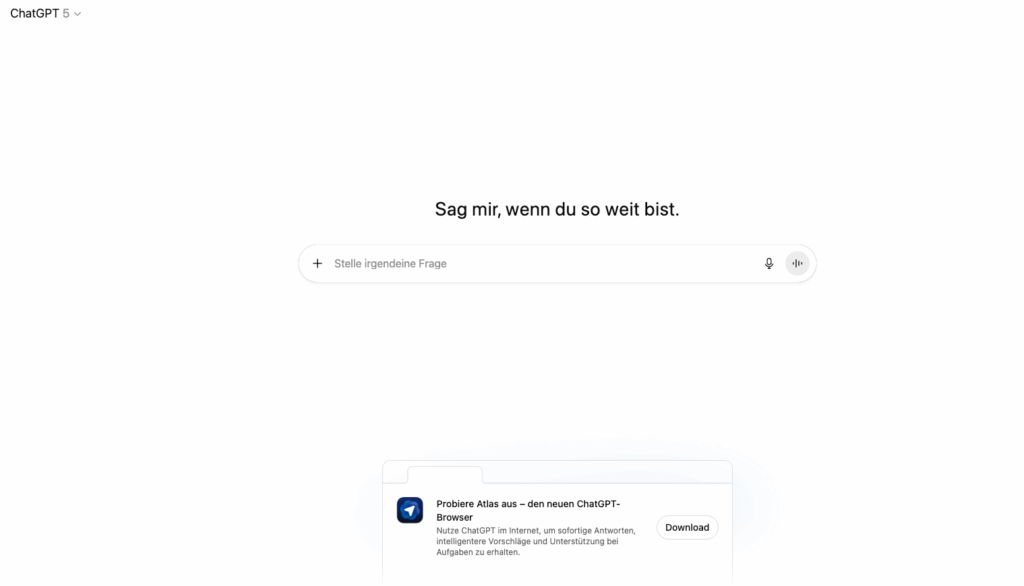
You can also download ChatGPT Atlas directly in the ChatGPT Web App.
ChatGPT Atlas web interface
Atlas finally makes AI applicable where you work every day – not in separate tools, but directly in your browser ecosystem. The future of smart working starts with the first click.
Florian Schröder is a co-founder of AI Rockstars and an expert in AI strategies for marketing. He advises companies on integrating AI tools such as ChatGPT, Claude, and Gemini into their workflows. With over 10 years of experience in digital marketing, he combines technical expertise with practical applications.
To provide the best experiences, we use technologies like cookies to store and/or access device information. Consenting to these technologies will allow us to process data such as browsing behavior or unique IDs on this site. Not consenting or withdrawing consent, may adversely affect certain features and functions.
Functional
Always active
The technical storage or access is strictly necessary for the legitimate purpose of enabling the use of a specific service explicitly requested by the subscriber or user, or for the sole purpose of carrying out the transmission of a communication over an electronic communications network.
Preferences
The technical storage or access is necessary for the legitimate purpose of storing preferences that are not requested by the subscriber or user.
Statistics
The technical storage or access that is used exclusively for statistical purposes.The technical storage or access that is used exclusively for anonymous statistical purposes. Without a subpoena, voluntary compliance on the part of your Internet Service Provider, or additional records from a third party, information stored or retrieved for this purpose alone cannot usually be used to identify you.
Marketing
The technical storage or access is required to create user profiles to send advertising, or to track the user on a website or across several websites for similar marketing purposes.